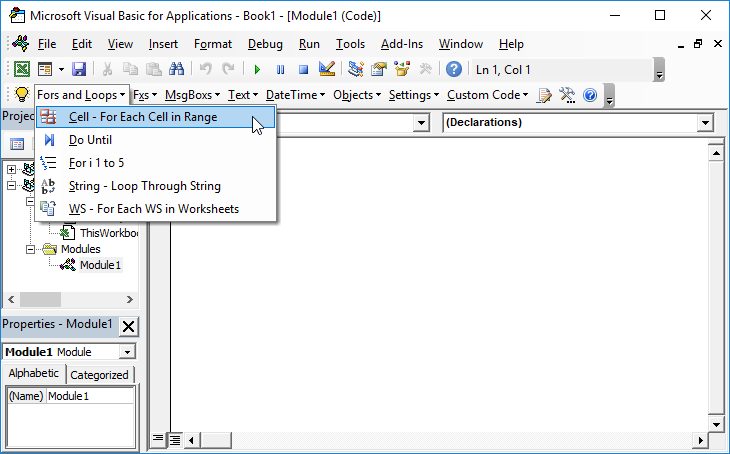
VBA For Loop – Loop Through a Range of Cells

Written by

Reviewed by
In this Article
In VBA, you can loop through a range of cells, applying actions to each cell in the range.
If you want to test a condition for each cell in a range using VBA, the best way is to loop through the range, testing each cell. Here are two code examples to demonstrate how to loop through a range. You can replace the range value for whatever range you need to loop through.
Loop Through Range of Cells
This example will loop through a range of cells. The if statement tests the condition if the cell contains the text “FindMe” and shows a message box with the location of the text if found.
Public Sub LoopCells()

Dim c As Range

For Each c In Range("A1:A10")
    If c.Value = "FindMe" Then
      MsgBox "FindMe found at " & c.Address
    End If
Next c

End Sub
Loop Through Entire Column
This example loops through the entire column A range.
Public Sub LoopColumn()

Dim c As Range

For Each c In Range("A:A")
    If c.Value = "FindMe" Then
      MsgBox "FindMe found at " & c.Address
    End If
Next c

End Sub
Loop Through Entire Row
The next example loops through row 1 considering the entire row a range.
Public Sub LoopRow()

Dim c As Range

For Each c In Range("1:1")
    If c.Value = "FindMe" Then
      MsgBox "FindMe found at " & c.Address
    End If
Next c

End Sub
VBA Coding Made Easy
Stop searching for VBA code online. Learn more about AutoMacro – A VBA Code Builder that allows beginners to code procedures from scratch with minimal coding knowledge and with many time-saving features for all users!