VBA: Exit Without Saving
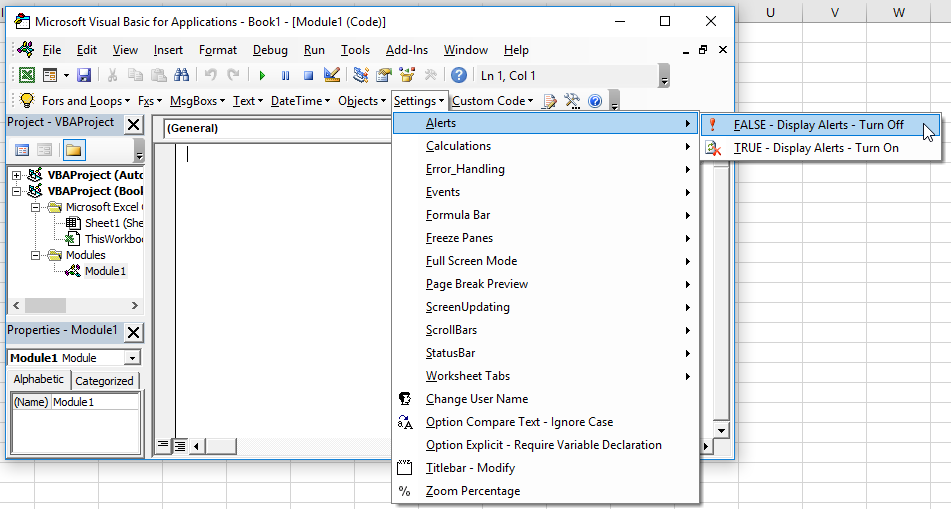
You can exit or close Excel without asking the user to save by setting display alerts to False and calling Application.Quit. Here’s some simple example code to exit Excel without prompting the user to save:
Sub ExitWithoutPrompt()
Application.DisplayAlerts = False
Application.Quit
End Sub
Can't get the tutorial to work for you? Need help with your code?
Get answers right away at our AE Excel Support Forums!


but would you want to?????!
Most of the time I post whatever comes to mind or from notes, however sometimes I post relating to people searching this site for topics I haven’t covered, this is the case with this post.
I can’t think of many practical reasons for doing this however – possibly a calculator template that a user can manipulate but should exit without saving the current state?
maybe – sounds like trouble to me though! – even if you’ve cerated a new instance of the excel object
This is just what I was looking for.
Thanks
@ross, mark.
Might not be particularly useful in general Excel use, but has a fantastic use in programming Excel from other applications using COM automation.
appExcel.DisplayAlerts = False
appExcel.Quit
Inside the exception procedure if something else gets ballsed up. This prevents having a hundred EXCEL.EXE processes in the background while you’re debugging, because every “New Excel.Application” spawns a new Excel process.
Worked for me… thanks
Set up a scheduled task to open excel, query an sql database, create a new (non-query) workbook with the results. Attached the new workbook to an email and sent it.
works a treat, the only bit I was missing was displayalerts = false!
thanks!!!!
This code really helped me for a small project I’m doing, thanks a bunch!
Another great application for this is for testing string manipulation code, but not preserving the changes.
Say you want to create some code to remove carriage returns from cells in hundreds of different workbooks, testing the batch code will throw up a “Save changes?” dialog each time you try to close the workbook and access another. By suppressing the warnings (and assuming you are using some sort of internal cataloging method to test that your code is doing it’s job, debug.print being a simple way to do so) you can quickly test the batch-readiness of your code.
Thanks for the tips!
An application I just had for this:
I had an Access VBA function open up an instance of excel, make some changes to a file in the background, and bring up a “Save As” dialog. If the user clicks “Cancel” on the dialog, it returns a value of “False”. I tested for this condition so that when the user clicks Cancel and my function eventually tries to call “ExcelAppObj.Quit” it first sets DisplayAlerts = false so that the user doesn’t receive a dialog asking if they’d like to save the changes made to the excel file.
i just included this code in an auto open sub to create different views for different business users. (ie it will run different commands if the username is in different lists on a worksheet. (stupidly) i ran the sub with my username on the autoexit list, as part of testing. now whenever i open the file it automatically exits.
as this is a test file i cannot send it to other users as i am the only name on the list. can anyone think of a workaround for this? i need to be able to get into the macro but without it running
thanks in advance
You can also use this if you only wish to close the workbook containing the code.
Private Sub Workbook_BeforeClose(Cancel As Boolean)
Application.DisplayAlerts = False
Workbooks(“receipt tax spreader tool.XLS”).Close
Application.DisplayAlerts = True
End Sub
I used it for a calculator-type file to help me with my finances.
Perfekt, just what I needed
Is there any way to restart Excel within a VBA macro? I’d like to set up an error handler with a user form that allows the user to reboot Excel or continue.