HYPERLINK Formula – Clickable Link – Excel, VBA, & G Sheets

Written by

Reviewed by
Download the example workbook
This tutorial demonstrates how to use the Excel HYPERLINK Function in Excel to create a clickable link.
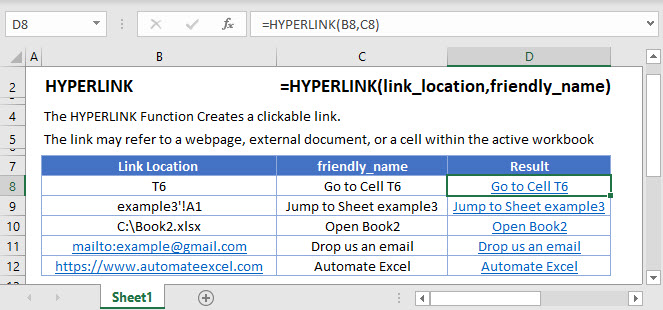
HYPERLINK Function
The HYPERLINK Function creates a clickable shortcut which redirects users from one location to another. The location can be a cell/sheet in a workbook, another workbook, email address, file on the internet or a network server.
Once the hyperlink is created, the clickable shortcut or [friendly_name] is the text that displays instead of the entire URL.
HYPERLINK Function – Cell Reference
The HYPERLINK Function can jump to a cell reference within the same workbook.
=HYPERLINK("#T6", "Go to Cell T6")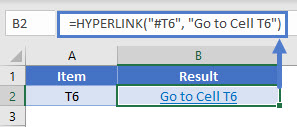
HYPERLINK Function – Sheet Reference
Similarly, the HYPERLINK Function can also jump to a sheet reference within the same workbook.
=HYPERLINK("#'example3'!A1","Jump to Sheet example3")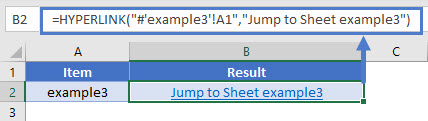
HYPERLINK Function – File Location
Absolute Path
The HYPERLINK Function can open a different workbook or any file present on your system.
=HYPERLINK("X:\Book2.xlsx","Open Book2")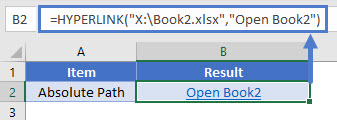
Note: the hyperlink will not work if you change file location
Relative Path
In case the file location is expected to change, we can use a relative path in the HYPERLINK Function.
=HYPERLINK("Excel files\Book3.xlsx","Open Book3")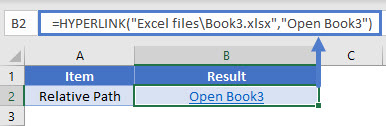
HYPERLINK Function – Email Address
The HYPERLINK Function can send a message to a specific recipient.
=HYPERLINK("mailto:example@gmail.com","Drop us an email")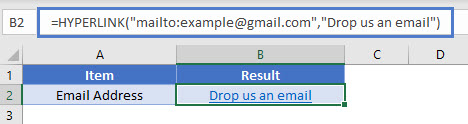
HYPERLINK Function – Webpage
The HYPERLINK Function can redirect users to a specific webpage.
=HYPERLINK("https://www.automateexcel.com/tutorials-practice-tests/","Automate Excel")
HYPERLINK, INDEX & MATCH Function
The HYPERLINK Function can be used with INDEX & MATCH Function to create hyperlinks that pull a matching value & create a shortcut to it.
=HYPERLINK("#"&CELL("address", INDEX(A2:A6, MATCH(D2, B2:B6,0))), INDEX(A2:A6, MATCH(D2, B2:B6,0)))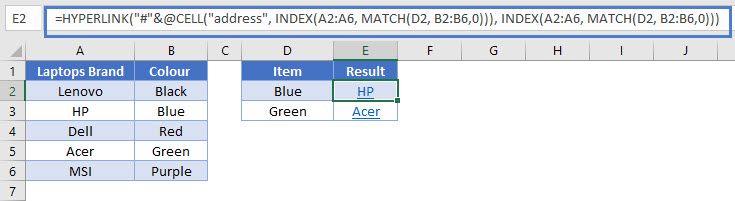
Multiple HYPERLINKS
When using the HYPERLINK Function, multiple hyperlinks can be edited at the same time. Open the Find & Replace dialogue by pressing Ctrl + H.
- In the dialogue, enter the old link in Find what: box & new link in the Replace with: box.
- Click the Look in: dropdown and select Formulas.
- Now click the Replace All button.
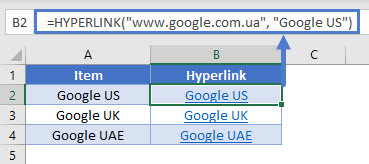
HYPERLINK in Google Sheets
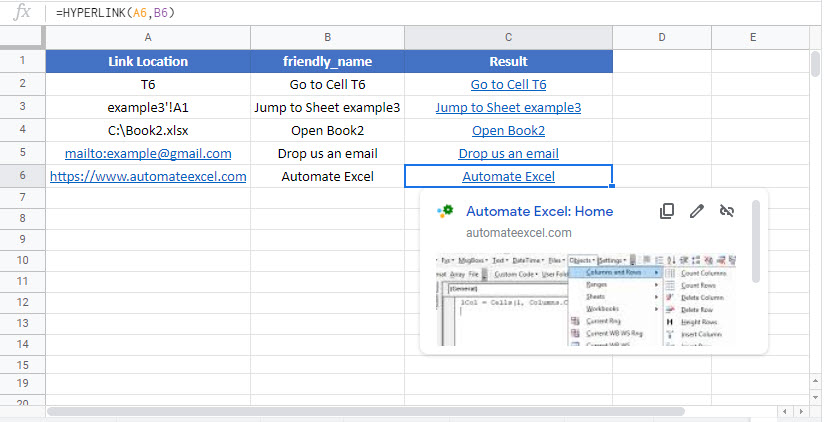
The HYPERLINK Function works exactly the same in Google Sheets as in Excel: