
Excel Refresh or Calculate Shortcut

Written by

Reviewed by
Last updated on October 23, 2023
This tutorial will demonstrate how to calculate and refresh spreadsheets using shortcuts.
Calculate/Refresh Spreadsheet Shortcuts
In the Ribbon Formula Tab to the far right, you will see calculation options:
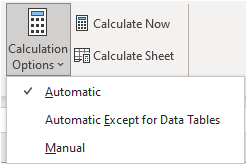
- Automatic: formulas automatically update as data is changed
- Manual: Formulas do not update until you manually recalculate.
Shortcut to Calculate Entire Workbook / Refresh
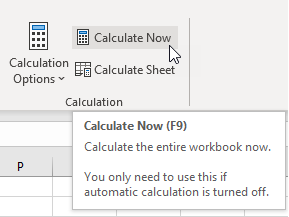
- Press F9 to calculate the entire workbook
- This calculates all worksheets in all open workbooks
Shortcut to Calculate Active Workbook
- Hold down Shift + F9 to calculate the active sheet.
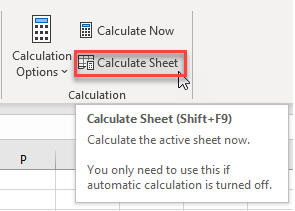
In this scenario, if you have multiple tabs, it will only update the tab that you have open
Shortcut to Force Calculate
- To force calculate, hold down Ctrl + ALT + F9
- Calculate all workbooks in all open workbooks, regardless of whether they have changed since the last calculation.
Calculate Part of a Formula
While in Cell Edit Mode, this Excel Shortcut calculates part of a formula.
PC Shortcut:F9
Mac Shortcut:fn+F9
Remember This Shortcut:
F9 is also the standard shortcut to calculate. So, within a cell F9 calculates just the selected piece.
F9 is also the standard shortcut to calculate. So, within a cell F9 calculates just the selected piece.
