
YEAR Function Examples – Excel, VBA, & Google Sheets

Written by

Reviewed by
Last updated on February 9, 2023
Download Example Workbook
Download the example workbook
This tutorial demonstrates how to use the YEAR Function in Excel and Google Sheets to return the year from a date.
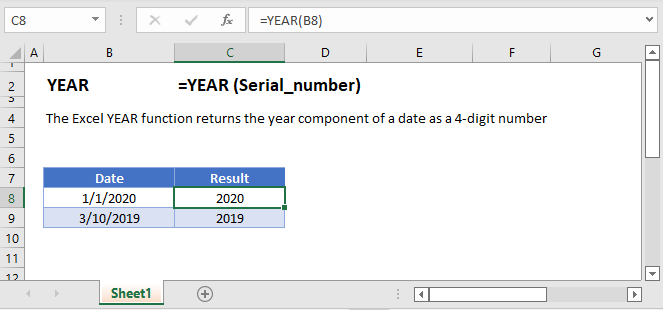
YEAR Examples
The YEAR Function returns the year of a date:
=YEAR(B4)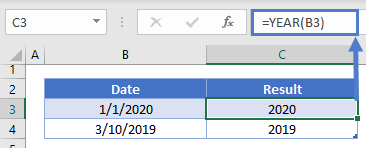
YEAR and DATE Functions
Using the DATE and YEAR Functions you can build a new date using the same year as the original date:
=DATE(YEAR(B3),5,31)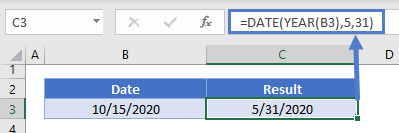
First Day of Year
Using the same logic as the previous example, we can use the YEAR and DATE functions to reference the first day of the year:
=DATE(YEAR(B3),1,1)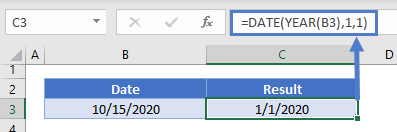
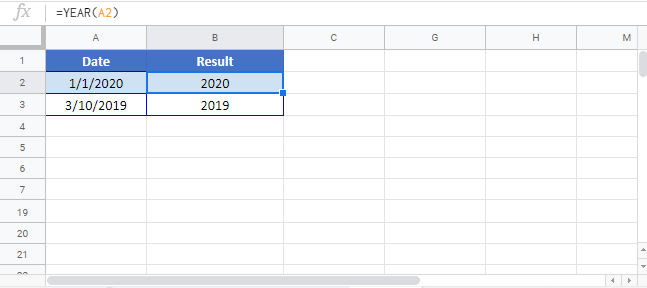
YEAR in Google Sheets
The YEAR Function works exactly the same in Google Sheets as in Excel:
YEAR Examples in VBA
You can also use the YEAR function in VBA. Type:
application.worksheetfunction.year(serial_number)For the function arguments (serial_number, etc.), you can either enter them directly into the function, or define variables to use instead.

