DATEDIF Function – Examples in Excel, VBA, Google Sheets

Written by

Reviewed by
This tutorial demonstrates how to use the DATEDIF Function in Excel, Google Sheets, and VBA to count the number of days, months, or years between dates.
DATEDIF Function Overview
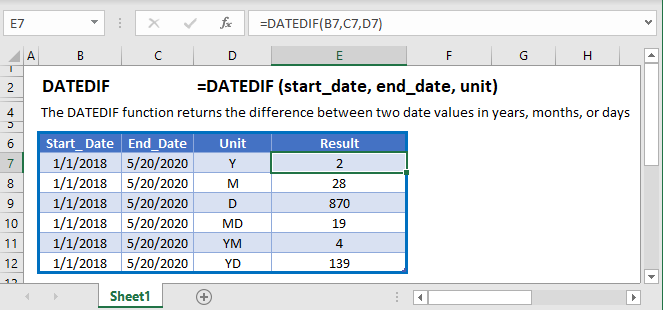
The DATEDIF Function Returns the number of days, months or years between two dates. It’s syntax is:
=DATEDIF(start_date, end_date, unit)start_date – The start date in Excel serial number format. Example: You can not enter 11/12/2015 directly into the cell. Instead you would need to use the corresponding serial number: 42320. Alternatively, you can reference a cell with the date 11/12/2015 entered. Excel automatically converts dates stored in cells into serial format (unless the date is entered as text).
end_date – The end date in Excel serial number format. Example: You can not enter 11/12/2015 directly into the cell. Instead you would need to use the corresponding serial number: 42320. Alternatively, you can reference a cell with the date 11/12/2015 entered. Excel automatically converts dates stored in cells into serial format (unless the date is entered as text).
unit – The time unit to use. Enter “Y”
DATEDIF Units
The DATEDIF Function can return the difference between two dates with various units:
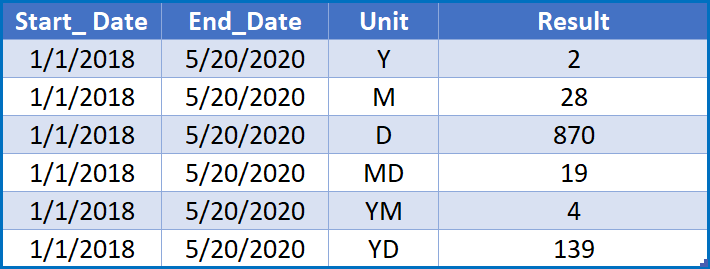
Let’s look at some examples below.
Count Days Between Dates
To count the numbers of days between dates you can use the DATEDIF Function:
=DATEDIF(B3,C3,"d")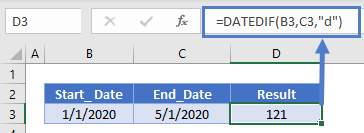
You can also simply subtract the dates to find the difference in days between the dates.
=C3-B3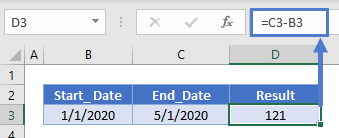
Count Workdays Between Dates
To find the number of workdays between dates, use the NETWORKDAYS Function:
=NETWORKDAYS(B3,C3)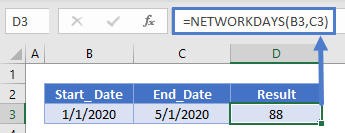
Number Weeks Between Dates
You can’t count the number of weeks between dates with DATEDIF, instead you can use a formula like this:
=DATEDIF(B3,C3,"d")/7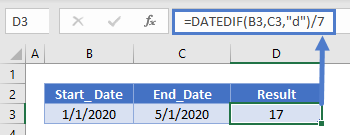
Date Difference in Months
To count the number of months between dates set the units to “m”:
=DATEDIF(B3,C3,"m")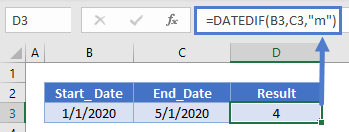 Count Years Between Dates
To count the number of years between dates set the units to “y”:
=DATEDIF(B3,C3,"Y")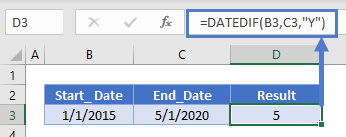 DATEDIF in Google Sheets
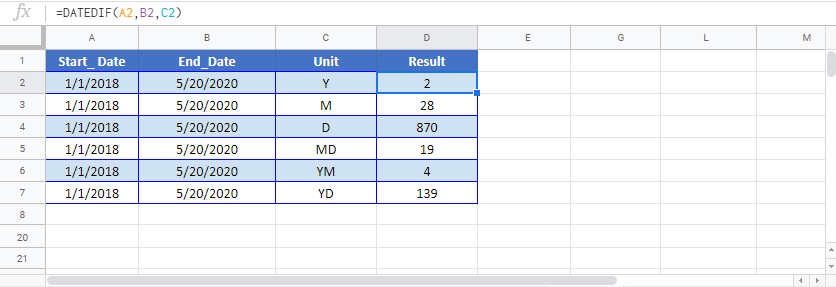
The DATEDIF Function works exactly the same in Google Sheets as in Excel: