
RSS Feeds in Excel

Written by
Reviewed by
Last updated on April 8, 2024
This article will demonstrate how to link an RSS feed to Excel

To link an RSS Fed to Excel you have two options:
- Add an XML Map
- Link the feed to Excel.
Add an XML Map
To add an XML map to your Excel sheet, follow these steps:
- Have a workbook open where you want the data to be displayed and then, in the Ribbon, select Developer > XML > Source.

Note if the Developer Ribbon is not showing, you can enable the ribbon by following the instructions here.
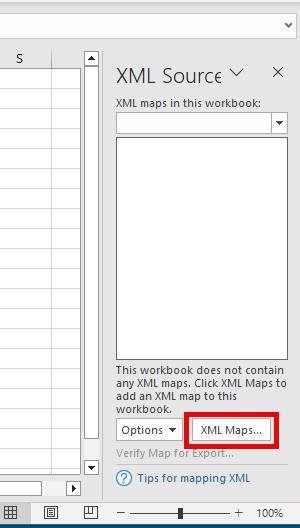
- Then, in the XML Source Pane that appears on the right hand side of your screen, click the XML Maps button.
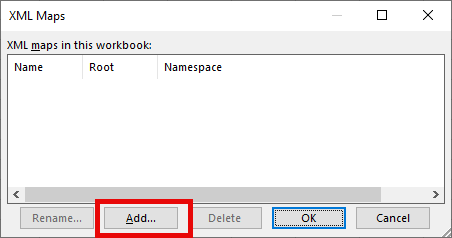
- Click the Add button.
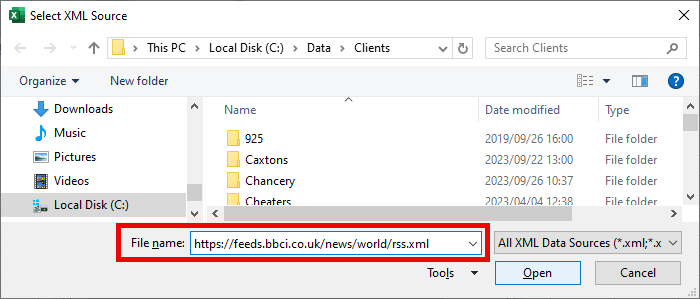
- Type in the path for the rss feed and click Open.
- An rss_Map will appear in the XML Maps list.
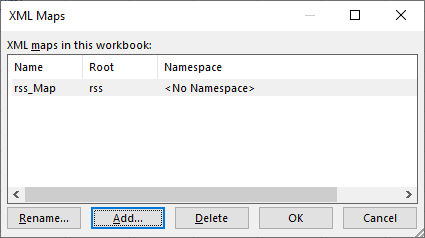
- Click OK to display it in the XML Source pane.
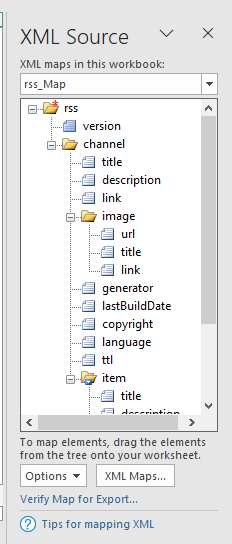
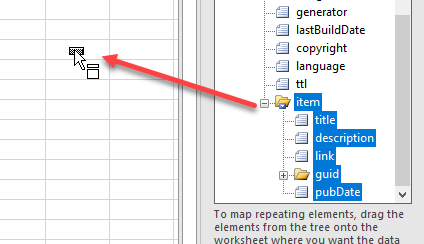
- Now scroll down until you find the item folder and then click on that folder. It will select all the headings underneath that folder. Click and drag the folder to the desired position in your worksheet.
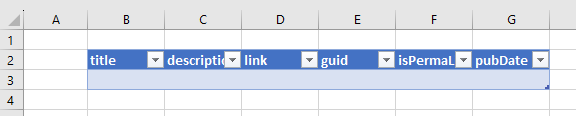
- The headings under the item folder will appear as headings in your worksheet.
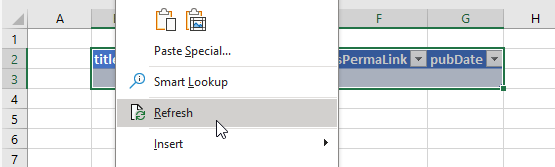
- Right click in the row underneath the headings and click Refresh.
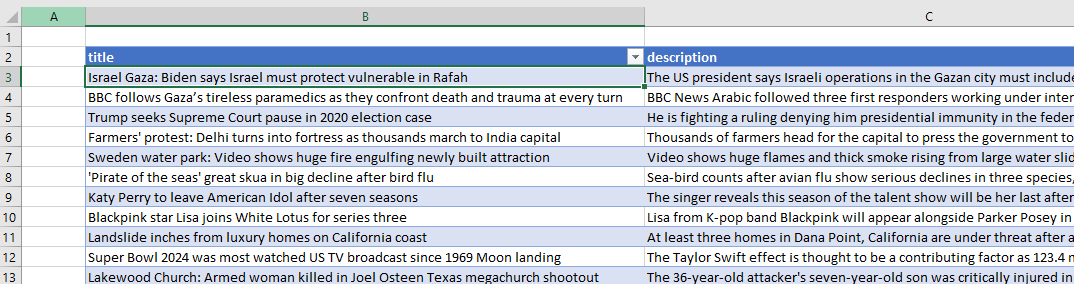
- The RSS Feed will then appear in your worksheet.
Link the RSS Feed to Excel
- Have a workbook open where you wish to link your feed to and then, in the Ribbon, select Developer > XML > Import.

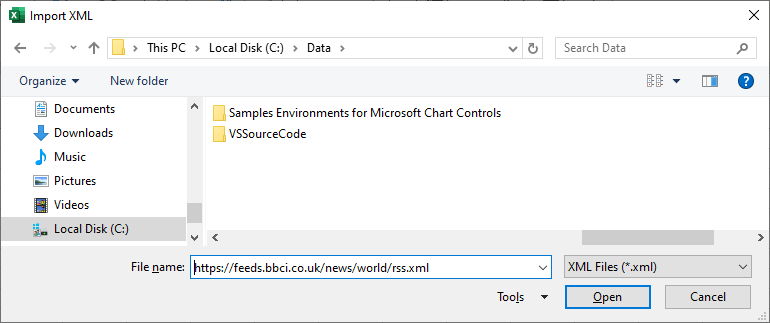
- Type the URL for your RSS feed into the File Name box and then click Open.
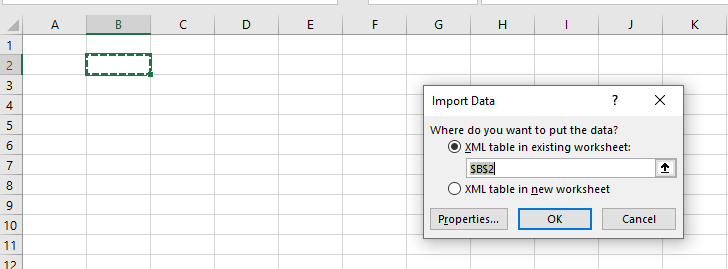
- Select the location to import the data to, and then click OK.
- A table will be created with the RSS Feed. The first 11 or so columns will be identical.
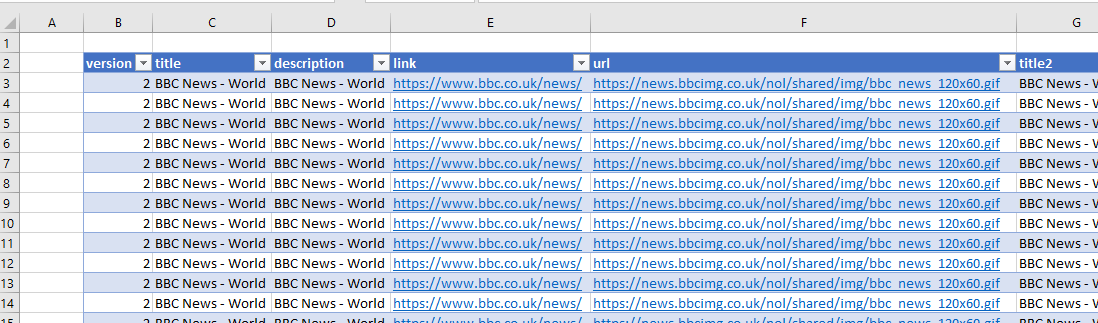
- Scroll to the right of the table to see the additional columns to show you the individual items in the RSS Feed.

