
Connect Excel to Mysql Database
This tutorial demonstrates how to connect Excel to a MySQL Database.
Download the ODBC Driver
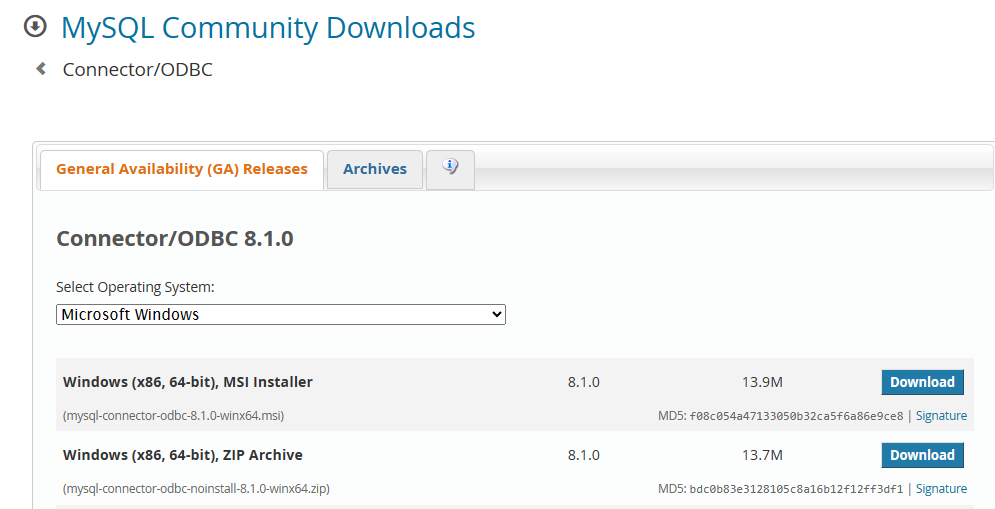
There are a number of ways that one can connect to a MYSQL database – either an online database or one that is setup on your local server. However, in order to do this, the first thing one has to do is download the ODBC driver for MYSQL.
Go to MySQL :: Download Connector/ODBC and then download the driver. You can either download this as a MSI installer file or a ZIP file.
Connect to MYSQL from Excel
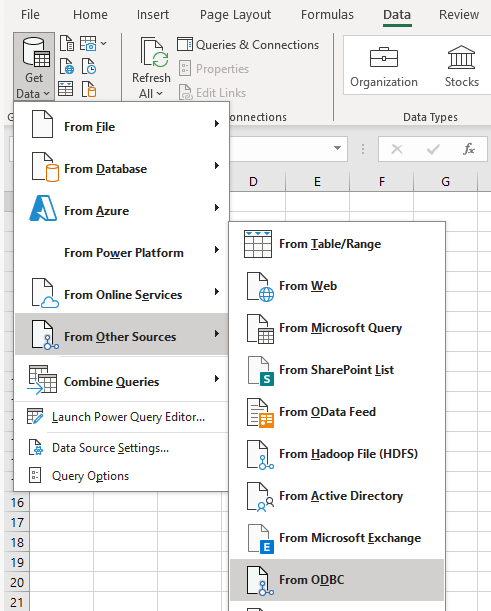
- With a blank Excel worksheet open, in the Ribbon, select Data > Get Data > From Other Soruces > From ODBC.
- Then, keep the Data source Name as (None) and type in the Connection string in the Advanced options.
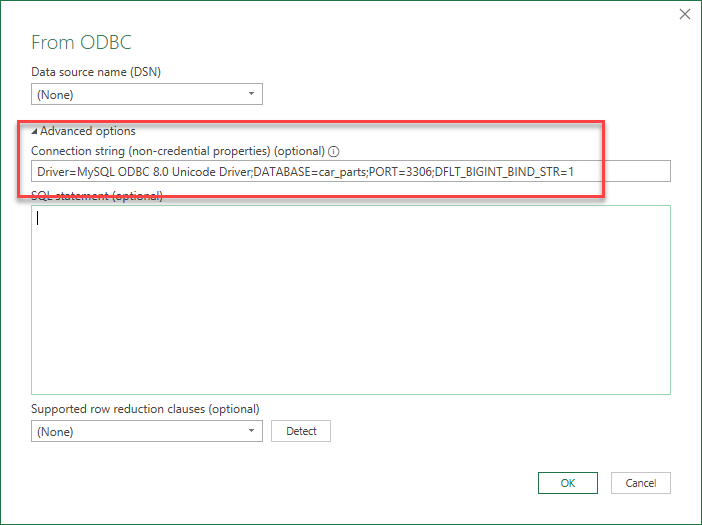
- Alternatively, if you alreayd have a DSN setup to connect to your SQL database, you can select the DSN from the drop down list.
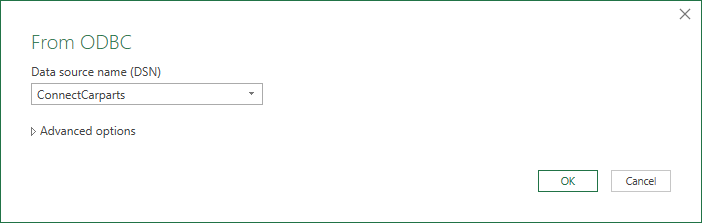
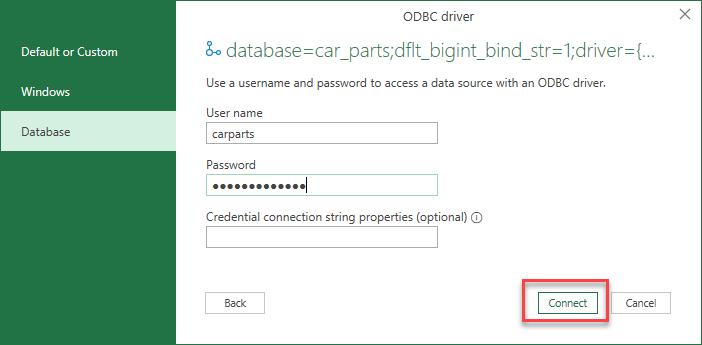
- You will then need to enter a user name and password, and then click Connect.
- Then, in the Navigator you can (1) select the name of the table you wish to connect to and then (2) click Load.
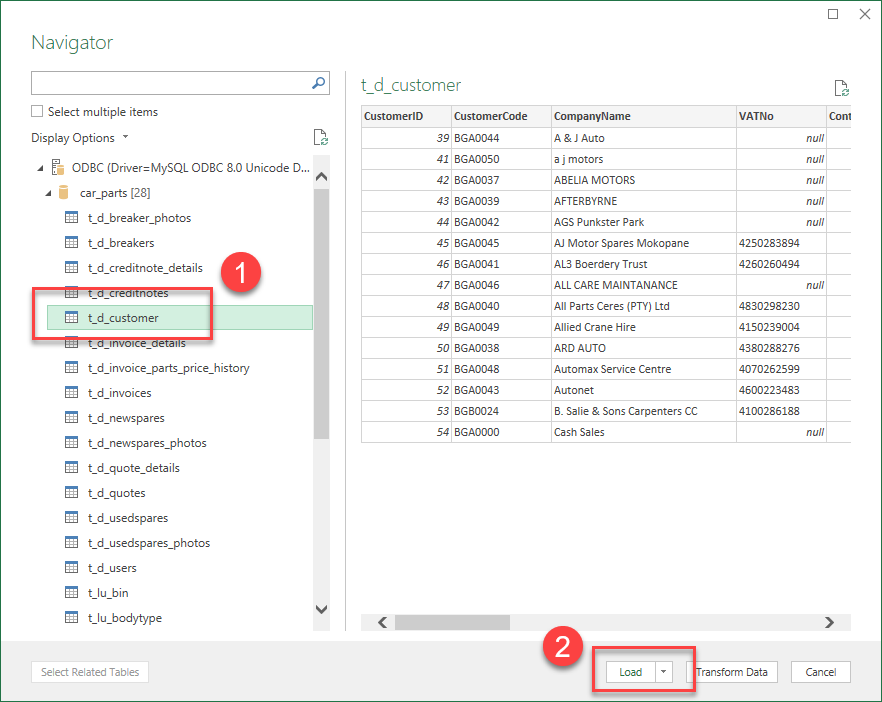
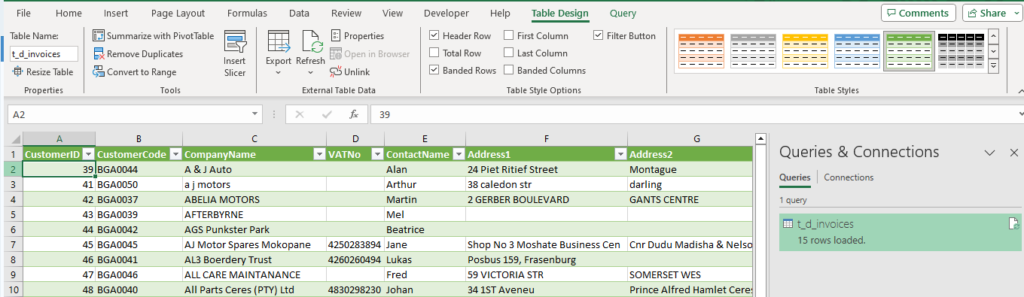
- The data from the table will be loaded into your Excel sheet.
- If you click Transform Data rather than Load Data in Step 5, Power Query will open in Excel. This allows you to manipulate the data before importing the data into Excel. You can remove columns, trim the data, remove duplicates etc.
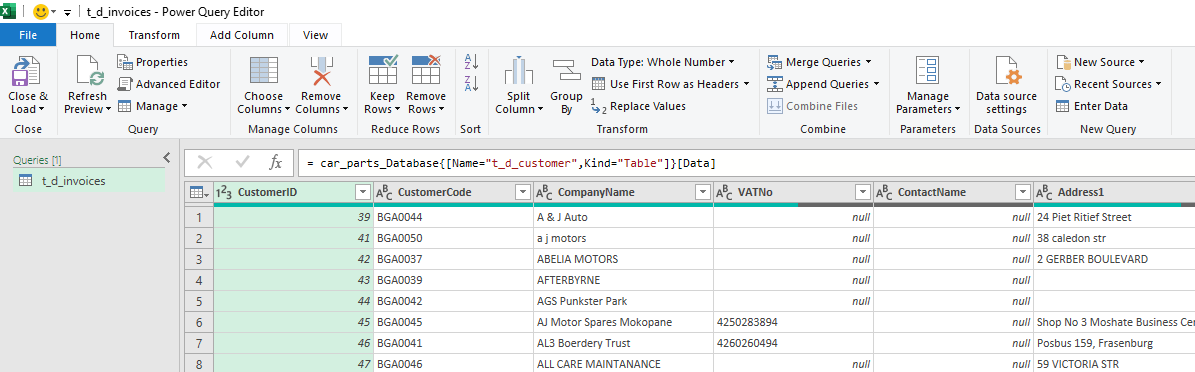
- Once you wish to load your data into Excel, select Home > Close & Load on the Ribbon to load the data into your Excel worksheet.
Connect to MYSQL from VBA
If you have a program in VBA that you need to extract data from MYSQL, you can connect to the MYSQL database with VBA code.
- Create a module in the VBE Editor for your code.
- Create a Sub Procedure and declare your variables. We are going to be using late-binding as it means we do not have to add a reference to the ADODB library.
Sub ConnectMYSQL()
On Error Resume Next
'declare recordset and connection objects - late binding
Dim rst As Object
Dim cnn As Object
'connection strings
Dim strConnect As String
Dim strSQL As String
'get customer details
Dim strCustName As String
Dim strCustPhone As String
- Now, populate the connection string with the correct connection string to your MYSQL database.
 'connection string
strConnect = "Driver=MySQL ODBC 8.0 Unicode Driver;UID=carparts;PWD={$7y8$F!d3)hAB};DATABASE=car_parts;PORT=3306;DFLT_BIGINT_BIND_STR=1"
- Then, populate the sql to connect to the table you require, and open a connection and recordset to the connection.
 'connection table
strSQL = "SELECT * FROM t_d_customer"

'open the connection and then recordset
Set rst = CreateObject("ADODB.Recordset")
Set cnn = CreateObject("ADODB.Connection")

cnn.Open (strConnect)
rst.Open strSQL, cnn
- You can now loop through all the records in the MYSQL table.
 'loop through the records
With rst
Do Until .EOF = True
strCustName = .Fields("CompanyName")
strCustPhone = .Fields("Phone")
Debug.Print strCustName & ", " & strCustPhone
.MoveNext
Loop
End With
- The debug.Print option is to allow you to see the output in the Immediate Window in VBA to see if you are obtaining your data – you may remove it from the code when it is not longer required.
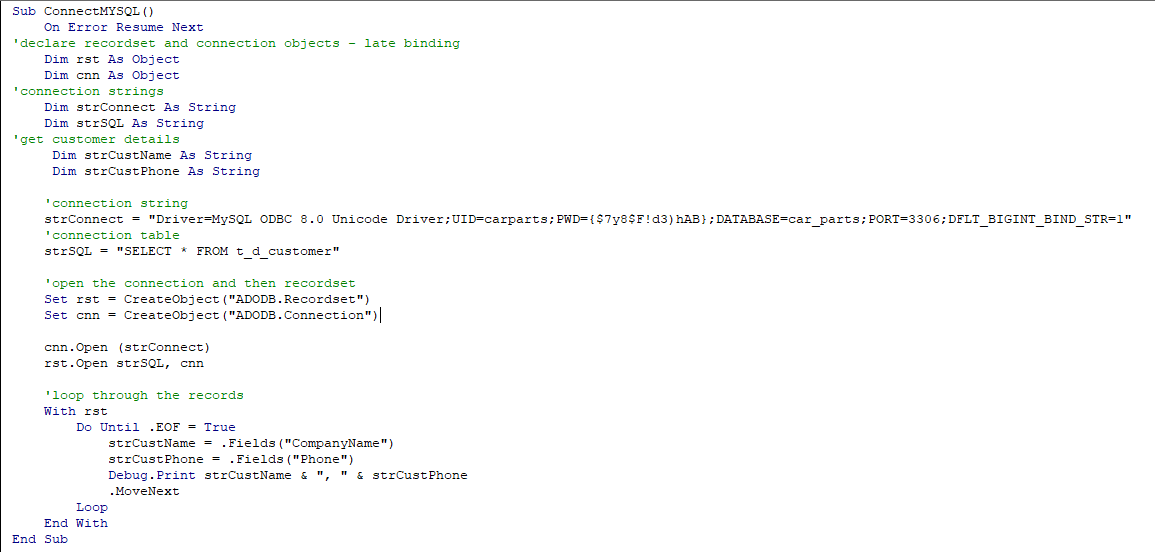
- The entire sub-procedure should look like the example below:
You can now use the data from the table in your Excel worksheet as required.