
2009 Calender Templates
2009 is right around the corner, now is the perfect time for those looking to make 2009 workday calenders, 2009 event calenders, or just to be used as as a basic 2009 calender. These links are mainly for Excel based templates.
We browsed the Microsoft site and provide direct links to a couple of their 2009 calenders below.
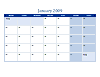
Here is a larger preview:
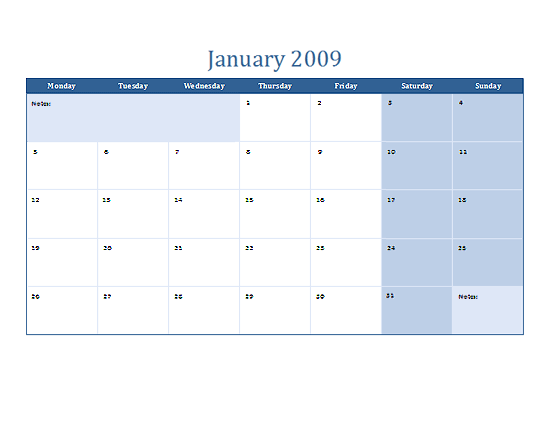
2009 calendar on multiple worksheets (12-page, Monday-Sunday)
2009 calendar on multiple worksheets (12-page)
2009 calendar (1-page, landscape)
2009 calendar (1-page, portrait)
2009 calendar (1-page, landscape, Mon-Sun)
2009 calendar (1-page, portrait, Mon-Sun)
That should be enough for ya guys. Enjoy!
2008 Calender templates are perfect for those looking to make 2008 workday calenders, 2008 event calenders, or just to be used as as a basic 2008 calender.
We browsed the Microsoft site and provide direct links to each of their 2008 calenders below.
2008 calender (1-pg, landscape)
2008 calender (1-pg, landscape, Mon-Sun)
2008 calender (1-pg, portrait)
2008 calender (1-pg, portrait, Mon-Sun)
2008 calender on multiple worksheets (12-pp)
2008 calender on multiple worksheets (12-pp, Mon-Sun)
We hope you enjoyed the 2008 Calendar resources.
The Microsoft site once again supplies us with some excellent calender templates, this time it’s the 2007 Calender Templates.
We browsed their 2007 calender’s and provided direct links to the downloads for each.
The calender templates are perfect for making workday calenders, or because they are in excel, you can customize them for any type of 2007 calender. Here they are:
2007 calendar (1-pg, landscape)
2007 calendar (1-pg, landscape, Mon-Sun)
2007 calender (1-pg, portrait)
2007 calendar (1-pg, portrait, Mon-Sun)
2007 calendar on multiple worksheets (12-pp)
2007 calendar on multiple worksheets (12-pp, Mon-Sun)
We hope you enjoyed the 2007 Calendar resources.
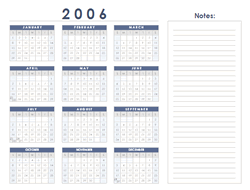 The Microsoft Template Site has the 2006 calender templates available.
Excel Calender templates are popular for working day calenders and when any type of yearly scheduling graphic is needed.
Here’s some direct links to the 2006 Excel Calender Templates:
2006 calendar (1-pg., landscape)
2006 calendar (1-pg., landscape, Mon-Sun)
2006 calendar on multiple worksheets (12-pp)
2006 calendar on multiple worksheets (12-pp)
2006 calendar (1-pg., portrait)
2006 calendar (1-pg., portrait, Mon-Sun)
2006 calendar on multiple worksheets (Mon-Sun, 12-pp.)
2006 calendar on one worksheet (12-pp.)
2006 calendar on one worksheet (12-pp., Mon-Sun)
2006 calendar with room for notes (1-pg.)
2006 calendar with room for notes (1-pg., Mon-Sun)
 The Microsoft Template Site has the 2005 calender templates available. Here’s some direct links to the 2005 Excel Calender Templates:
2005 business calendar (1-pg.)
2005 calendar Mon-Sun (12-pp.)
2005 calendar Mon-Sun (1-pg., portrait)
2005 calendar on multiple worksheets (12-pp.)
2005 calendar on multiple worksheets (Mon-Sun, 12-pp.)
2005 calendar on one worksheet (12-pp.)