


VBA – Get Current Weather in Excel

Written by

Reviewed by
Get Weather Using VBA
 I was just browsing the article 15 things you can do with RSS and noticed that WunderGround provides an RSS feed for weather (the option is available after doing a search).
Knowing that RSS is consumable with Excel (XML versions), I whipped up a barebones* example of getting the current and daily forecasted weather into Excel.
You can download the Weather Spreadseet here.
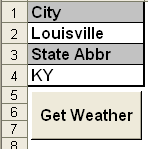
Simply enter a City and State and hit the “Get Weather” button. If the inputs are valid, your spreadsheet will return data looking something like this:
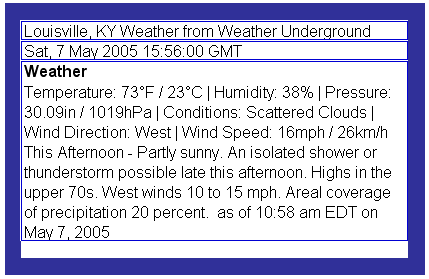
Looks like possible rain for the running of the derby today 😉
*This is a barebones example to demonstrate how to get weather into Excel. I included only an “On Error Resume Next” instead of detailed error handling, and the weather is returned as single string (ideally this string would be parsed).
VBA Coding Made Easy
Stop searching for VBA code online. Learn more about AutoMacro – A VBA Code Builder that allows beginners to code procedures from scratch with minimal coding knowledge and with many time-saving features for all users!



