ROW Function Examples – Excel & Google Sheets

Written by

Reviewed by
Download the example workbook
This tutorial demonstrates how to use the ROW Function in Excel and Google Sheets to look up the row number.
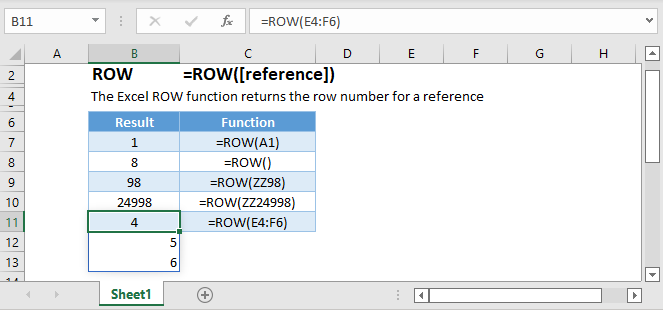
ROW Function – Single Cell
The ROW Function returns the row number of a specific cell reference.
=ROW(B4)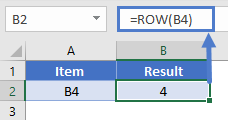
ROW Function with no Reference
If no cell reference is provided, the ROW Function will return the row number where the formula is entered.
=ROW()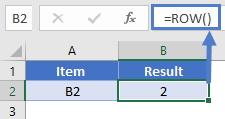
ROW Function with a Range
You can also enter entire ranges of cells into the ROW Function. When doing so, the ROW Function behaves differently in Excel 2019 (or earlier) vs. Excel 365 or newer version of Excel.
Excel 2019 or Older Row Function
In previous versions of Excel, the ROW Function returns an array containing the row values of all the cells in the range, but only displays the first result in the cell.
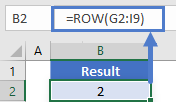
If you click the cell containing the formula and press F9, all the results are displayed in curly brackets as an array.
={2;3;4;5;6;7;8;9}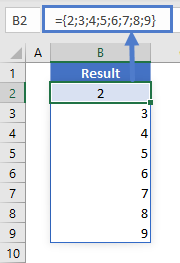
Excel 365 Row Function
However, Excel 365 comes with a spill range feature. Here, the ROW Function will return the rows of all cells in the range, “spilled” into the next cells.
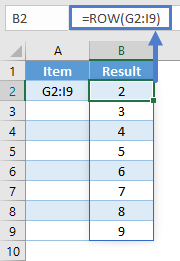
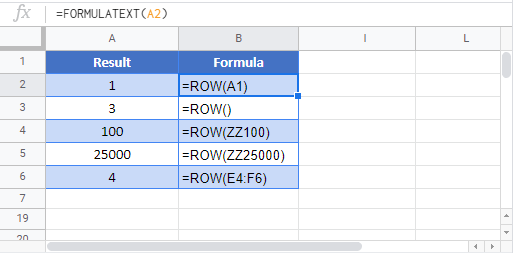
ROW Function in Google Sheets
The ROW Function works exactly the same in Google Sheets as in Excel: