VBA – Yes No Message Box (Msgbox)

Written by

Reviewed by
In this Article
This tutorial will cover how to use the VBA MsgBox Function to display messageboxes to users (including the YesNo Messagebox). You might also be interested in our article on InputBoxes.
VBA MsgBox Function
In VBA, it’s easy to display a simple MsgBox:
MsgBox "This is a Message Box"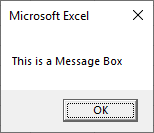
However you can do a lot more than display a simple OK message box. Let’s quickly look at complicated example before we dive into specifics…
VBA YesNo Message Box
Below we will create a message box with:
- A title “Message Box Title” and prompt “Text”
- A question mark icon
- Yes / No options instead of a simple “OK”
- Default button = ‘No’
Dim answer As Integer

answer = MsgBox("Text", vbQuestion + vbYesNo + vbDefaultButton2, "Message Box Title")
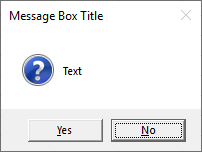
The messagebox will return vbYes or vbNo depending on the user’s choice. You can then then perform different actions based on the choice:
If answer = vbYes Then
  MsgBox "Yes"
Else
  MsgBox "No"
End If
In the next section we will show you all of the options available to you when creating message boxes. Then we will introduce you to the syntax of the MsgBox Function and finally go over other message box examples.
VBA Message Box Options
Take a look at the image below. Here you will see (almost) all of the options available to you when creating message boxes. Take notice of the icons and the different buttons.
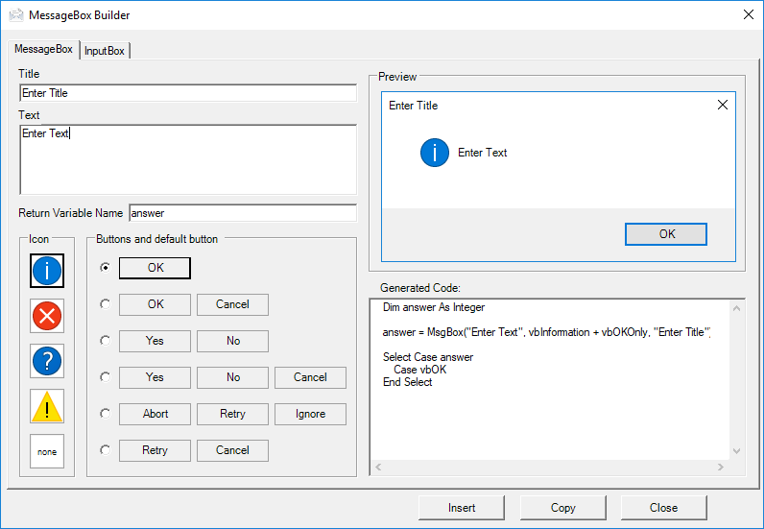
This is a screenshot of the “MessageBox Builder” from our Premium VBA Add-in: AutoMacro. The MessageBox Builder allows you to quickly design your desired messagebox and insert the code into your code module. It also contains many other code builders, an extensive VBA code library, and an assortment of coding tools. It’s a must-have for any VBA developer.
Syntax of MsgBox Function
MsgBox( prompt [, buttons ] [, title ] [, helpfile, context ] )
prompt (Required) – This is the primary message box text.
buttons – Choose which buttons to display. If omitted, ‘OKonly’. Here you can also specify what icon to show and the default button.
title – The title at the top of the message box. If omitted, the name of the current application is displayed (ex. Microsoft Excel).
helpfile – Specify help file that can be accessed when user clicks on the ‘Help’ button. If specified, then you must also add context (below)
context – Numeric expression representing the Help context number assigned to the appropriate Help topic.
You can probably ignore the helpfile and context arguments. I’ve never seen them used.
Customize Message Box Title and Prompt
The MsgBox function allows you to customize the title and prompt messages like so:
Msgbox "Prompt",,"Title"Another example:
Sub MsgBoxPromptTitle()
  MsgBox "Step 1 Complete. Click OK to run step 2.",, "Step 1 of 5"
End Sub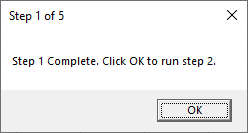
Important! You must remember to surround your text with quotations.
MessageBox LineBreaks
You can also add line breaks to your message box prompts with ‘vbNewLine’.
Sub MsgBoxPromptTitle_NewLine()
  MsgBox "Step 1 Complete." & vbNewLine & "Click OK to Run Step 2.", , "Step 1 of 5"
End Sub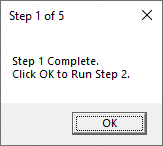
Notice we use the & symbol to join text together. You can learn more about using & with text and other options for inserting linebreaks in our article on joining text.
MsgBox Icons
VBA gives you the ability to add one of four pre-built icons to your message boxes:
| Icon Constant | Icon |
|---|---|
| vbInformation |  |
| vbCritical |  |
| vbQuestion |  |
| vbExclamation |  |
The Icon constant should be placed within the button argument:
Sub MsgBoxQuestionIcon()
  MsgBox "Question Example", vbQuestion
End Sub
This will generate the default ‘OK’ message box with the Question icon:
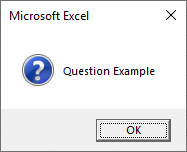
Notice how when you type, the VBA Editor will show you the options available to you:
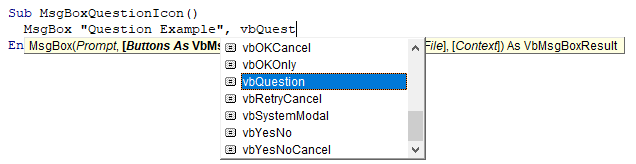
This is helpful because you don’t need to remember the exact syntax or names of icons or buttons.
Now we will demo each message box icon:
MsgBox Icons – Information
Sub MsgBoxInformationIcon()
  MsgBox "Information Example", vbInformation
End Sub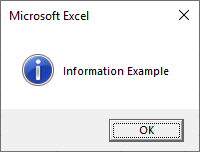
MsgBox Icons – Critical
Sub MsgBoxCriticalIcon()
  MsgBox "Critical Example", vbCritical
End Sub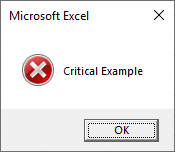
MsgBox Icons – Question
Sub MsgBoxQuestionIcon()
  MsgBox "Question Example", vbQuestion
End Sub
MsgBox Icons – Exclamation
Sub MsgBoxExclamationIcon()
  MsgBox "Exclamation Example", vbExclamation
End Sub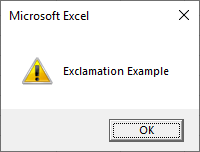
Below we will talk about generating message boxes with different button layouts. If you do choose a different message box type, you will need to append the icon type after the buttons using a “+”:
Sub MsgBoxQuestionIcon()
  MsgBox "Do you want to continue?", vbOKCancel + vbQuestion
End Sub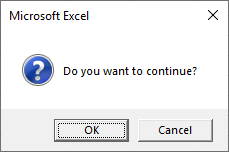
MsgBox Variables
So far we have worked primarily with the default ‘OK’ message box. The OK message box only has one option: Pressing ‘OK’ allows the code to continue. However, you can also specify other button groupings: OK / Cancel, Yes / No, etc.
In which case you will want to perform different actions based on which button is pressed. Let’s look at an example.
Here is the message box we will generate:
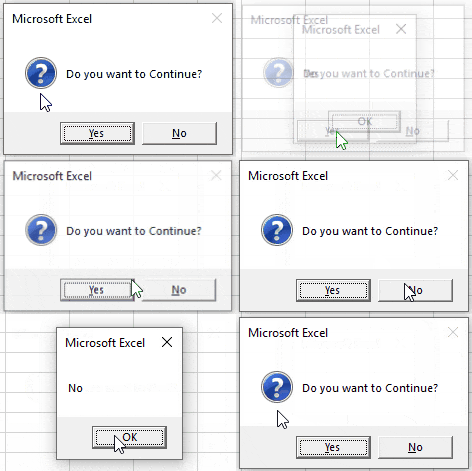
This is the entire code (we will break it down next):
Sub MsgBoxVariable()

Dim answer As Integer
answer = MsgBox("Do you want to Continue?", vbQuestion + vbYesNo)

  If answer = vbYes Then
    MsgBox "Yes"
  Else
    MsgBox "No"
  End If

End Sub
First we assign the messagebox output to an integer variable.
Dim answer As Integer

answer = MsgBox("Do you want to Continue?", vbQuestion + vbYesNo)
Next we use an If-Else to determine what to do based on which button is pressed:
If answer = vbYes Then
  MsgBox "Yes"
Else
  MsgBox "No"
End If
The MsgBox function returns an integer value (between 1-7) so we define the variable as an integer type. However, instead of referring to the integer number, you can refer to a constant (ex. vbOK, vbCancel, etc.). Look at this table to see all of the options:
| Button | Constant | Value |
|---|---|---|
| OK | vbOK | 1 |
| Cancel | vbCancel | 2 |
| Abort | vbAbort | 3 |
| Retry | vbRetry | 4 |
| Ignore | vbIgnore | 5 |
| Yes | vbYes | 6 |
| No | vbNo | 7 |
Now we will demo each button grouping:
OK Message Box – vbOKOnly
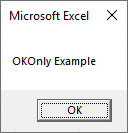
This is the standard VBA messagebox.
Sub MsgBox_OKOnly()

Dim answer As Integer
answer = MsgBox("OKOnly Example", vbOKOnly)

End Sub
OK Cancel Message Box – vbOKCancel
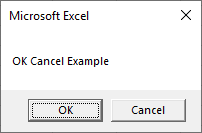
Sub MsgBox_OKCancel()

Dim answer As Integer
answer = MsgBox("OK Cancel Example", vbOKCancel)

  If answer = vbOK Then
    MsgBox "OK"
  Else
    MsgBox "Cancel"
  End If

End Sub
Yes No Message Box – vbYesNo
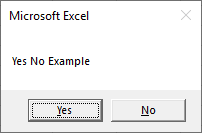
Sub MsgBox_YesNo()

Dim answer As Integer
answer = MsgBox("Yes No Example", vbYesNo)

  If answer = vbYes Then
    MsgBox "Yes"
  Else
    MsgBox "No"
  End If

End Sub
Yes No Cancel Message Box – vbYesNoCancel
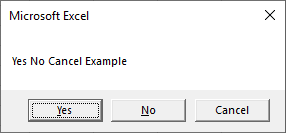
Sub MsgBox_YesNoCancel()

Dim answer As Integer
answer = MsgBox("Yes No Cancel Example", vbYesNoCancel)

  If answer = vbYes Then
    MsgBox "Yes"
  ElseIf answer = vbNo Then
    MsgBox "No"
  Else
    MsgBox "Cancel"
  End If

End Sub
Abort Retry Ignore Message Box – vbAbortRetryIgnore
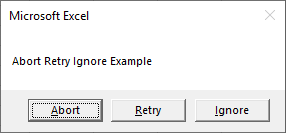
Sub MsgBox_AbortRetryIgnore()

Dim answer As Integer
answer = MsgBox("Abort Retry Ignore Example", vbAbortRetryIgnore)

  If answer = vbAbort Then
    MsgBox "Abort"
  ElseIf answer = vbRetry Then
    MsgBox "Retry"
  Else
    MsgBox "Ignore"
  End If

End Sub
Retry Cancel Message Box – vbRetryCancel
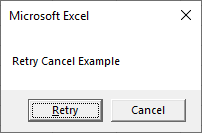
Sub MsgBox_RetryCancel()

Dim answer As Integer
answer = MsgBox("Retry Cancel Example", vbRetryCancel)

  If answer = vbRetry Then
    MsgBox "Retry"
  Else
    MsgBox "Cancel"
  End If

End Sub
VBA MessageBox Examples
Message Box Confirmation Before Running Macro
This code will display a Yes No Message box before calling a macro. If Yes is clicked the macro is called, if No is clicked, the Macro does not run.
Sub Msgbox_BeforeRunning()

  Dim answer As Integer
  answer = MsgBox("Do you want to run Macro1?", vbQuestion + vbYesNo)

  If answer = vbYes Then Call Macro1

End Sub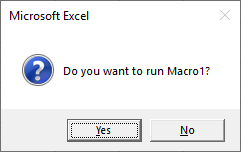
Yes / No Message Box – Exit Sub
Here we will confirm with the user whether to continue running a macro. If No is clicked, the code will exit the sub, otherwise the procedure will continue.
Sub Msgbox_BeforeRunning()

  Dim answer As Integer
  answer = MsgBox("Do you want to continue?", vbQuestion + vbYesNo)

  If answer = vbNo Then Exit Sub

  'Some Code

End Sub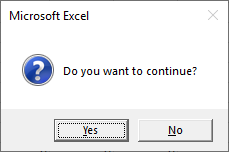
VBA Message Box in Access VBA
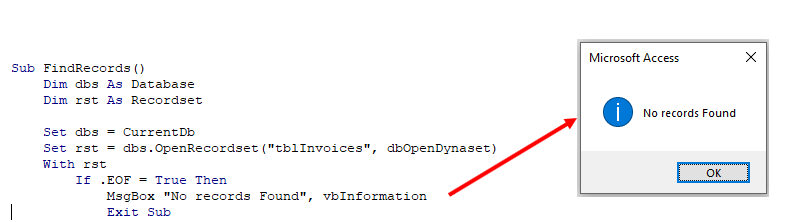
All of the above examples work exactly the same in Access VBA as in Excel VBA.