
How to Use Paste Special in Excel & Google Sheets

Written by

Reviewed by
This tutorial demonstrates how to use Paste Special in Excel and Google Sheets.
Open Paste Special Dialog Box
- First, copy the cell(s) you want to paste.
- Then in the Ribbon, go to Home > Clipboard > Paste Special (or use the shortcut CTRL + ALT + V).
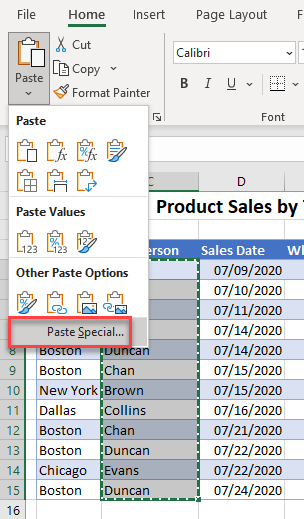
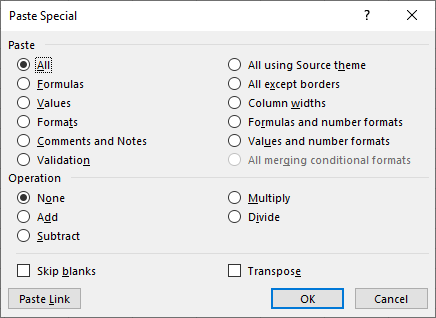
This opens the Paste Special dialog box.
In this Article
Paste Special allows you to paste more than just the contents of a cell – it allows you to paste just the formatting of the cell, or just the values of the cell. It also allows you to transpose data and paste data while skipping blanks among other features.
Paste Formulas
- First, select the cell that contains the formula you wish to copy.
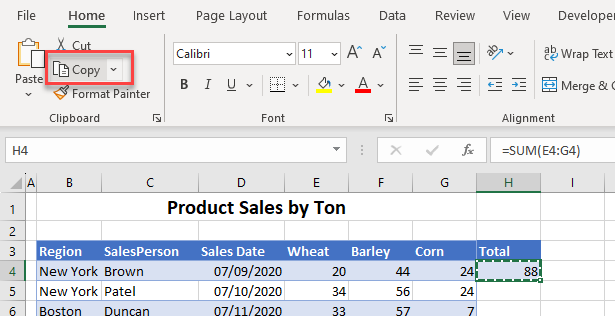
- Then, select the cells where you wish to paste the formula, and in the Paste Special dialog box, choose Paste > Formulas and then click OK.
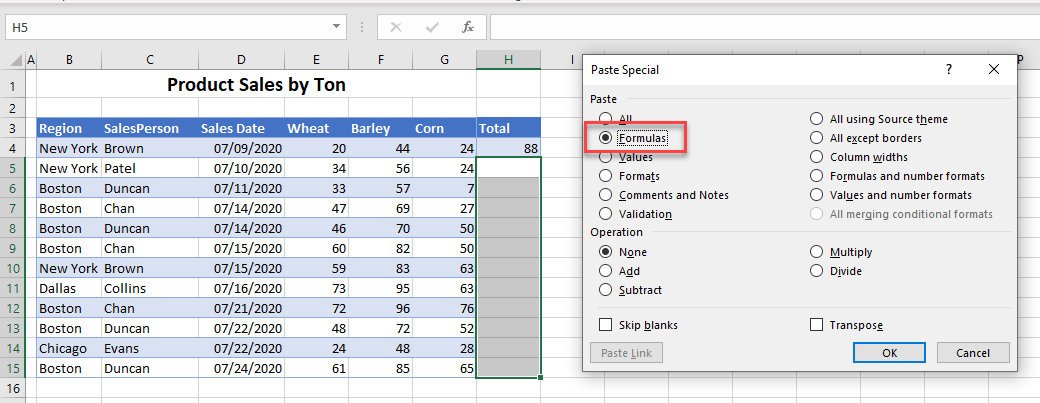
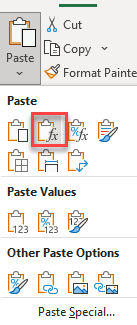
- Alternatively, in the Ribbon, click the drop-down arrow under Paste, and then click the Paste Formulas icon.
- Your formula is copied down to the selected cells without any formatting.
Paste Values
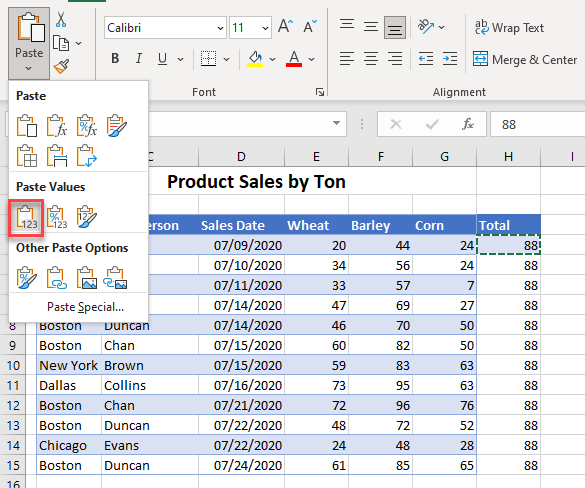
To paste just the values, without any formulas, choose Paste > Values from the Paste Special dialog box or choose the Paste Values icon from the drop down.
Paste Formats
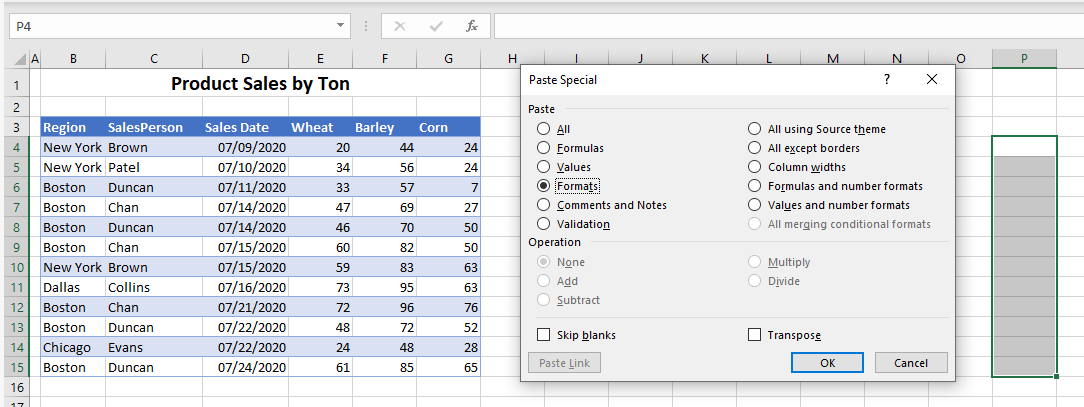
- To paste the format of selected cells, first, copy the cells whose formats you wish to use.
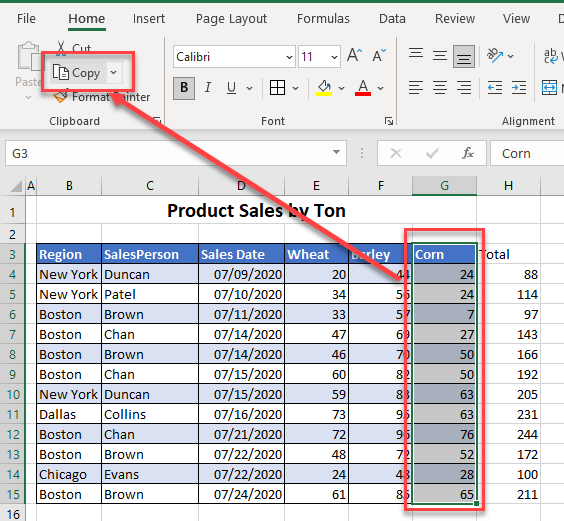
- Then, select the cells where you wish to paste the format, and choose Formats in the Paste Special dialog box or click the Paste Formats icon from the Paste drop down in the Ribbon.
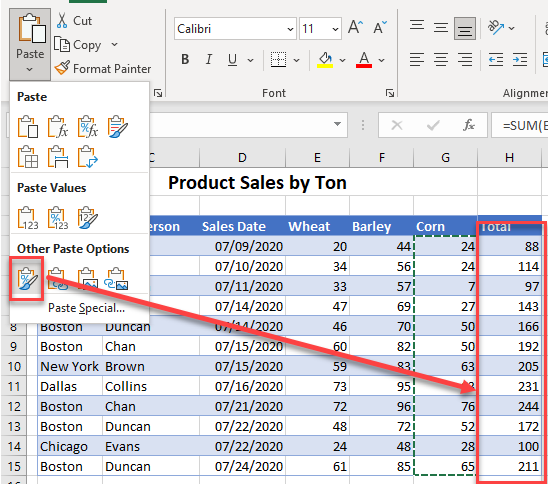
Paste Comments and Notes
- Copy the cell that contains the comment or note that you want to paste.
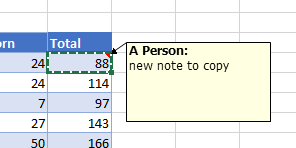
- Then in the Ribbon, go to Home > Clipboard > Paste Special and choose Comment and Notes.
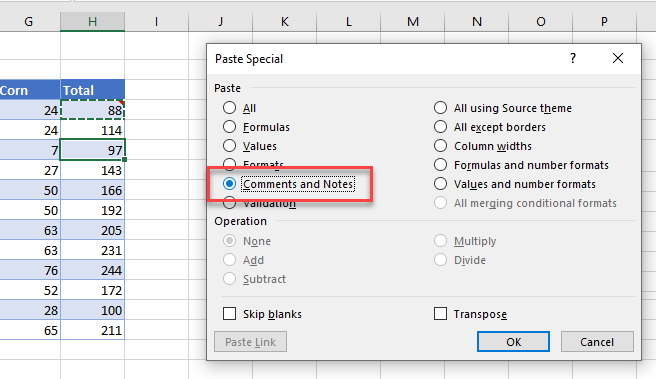
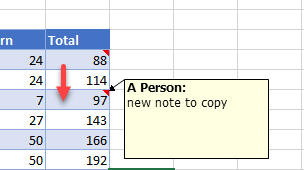
- Click OK to paste the note only.
Paste Data Validation
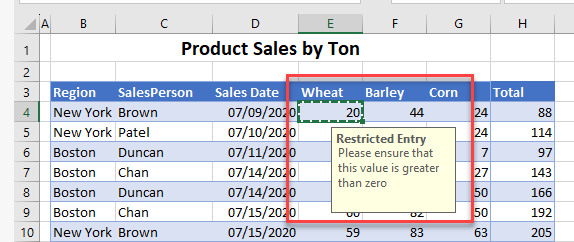
- Copy the cell that contains the data validation rule(s) that you wish to apply to other cells.
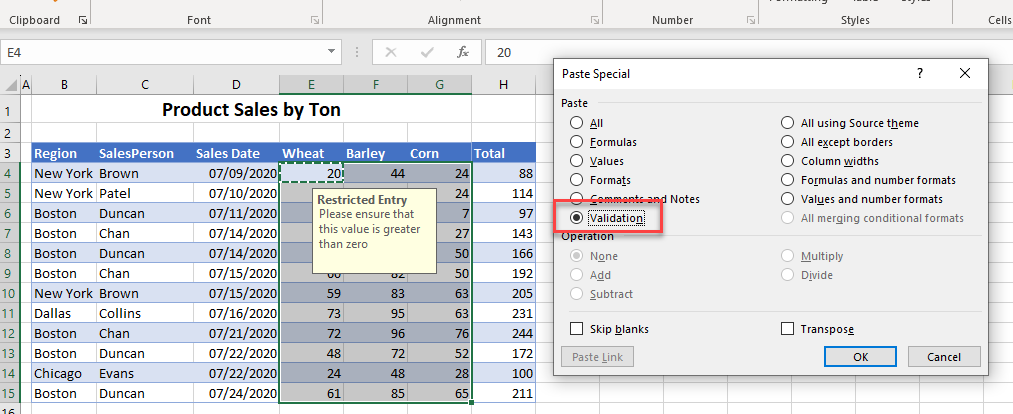
- Highlight the cells where you wish to apply the validation, and then in the Paste Special Dialog box, choose Validation.
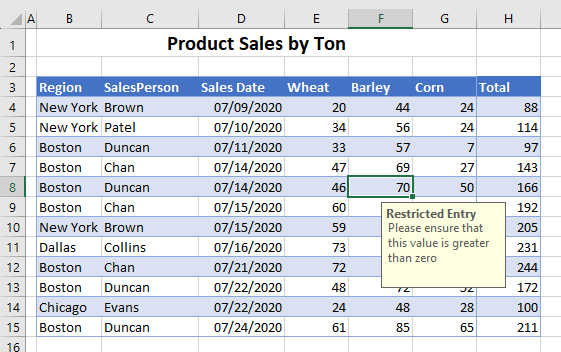
- The data validation is now applied to all selected cells.
Operations
Add Values
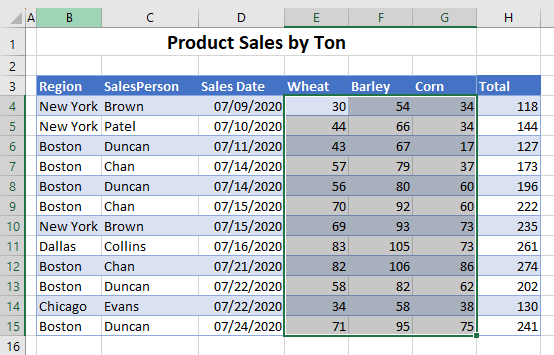
Add Values increases all the numbers in a range of cells by a set amount.
- Copy the cell that contains the value that you wish to increase the range of cells by.
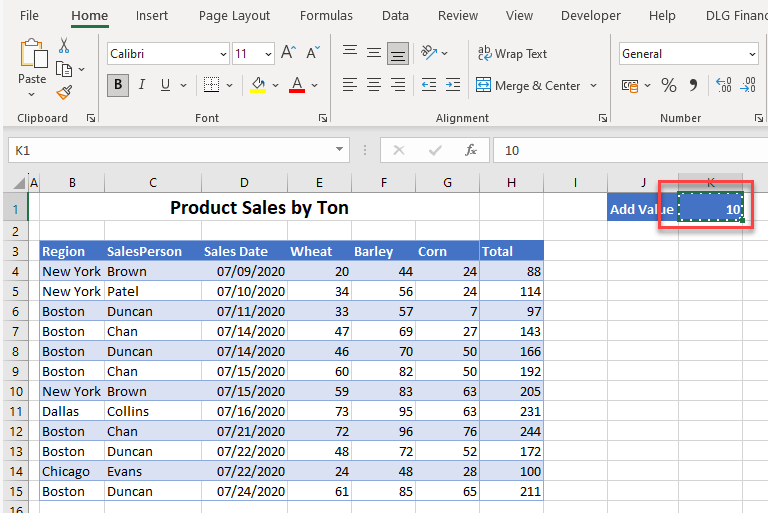
- Highlight the cells where you wish to increase the value and then, in the Paste Special dialog box, choose Values; from Operation, choose Add.
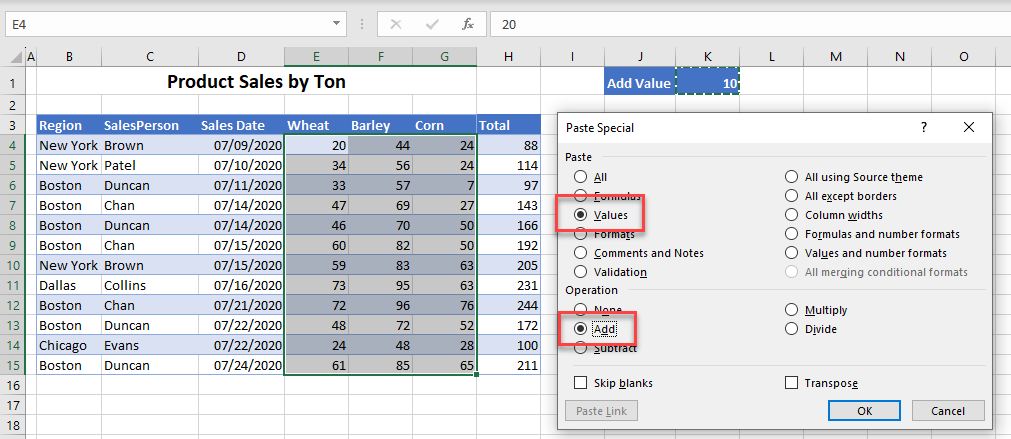
- Click OK. The numbers in each cell increase by the pasted amount.
Subtract Values
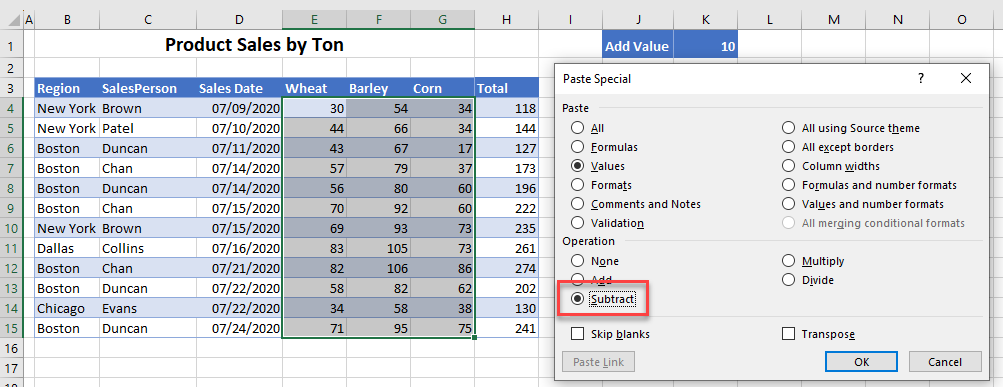
You can apply the same concept to subtract a set value from each cell of data.
Multiply and Divide Values
You can also multiply or divide the data in each cell by a set value.
- In the Paste Special dialog box, go to Values, then Multiply or Divide.
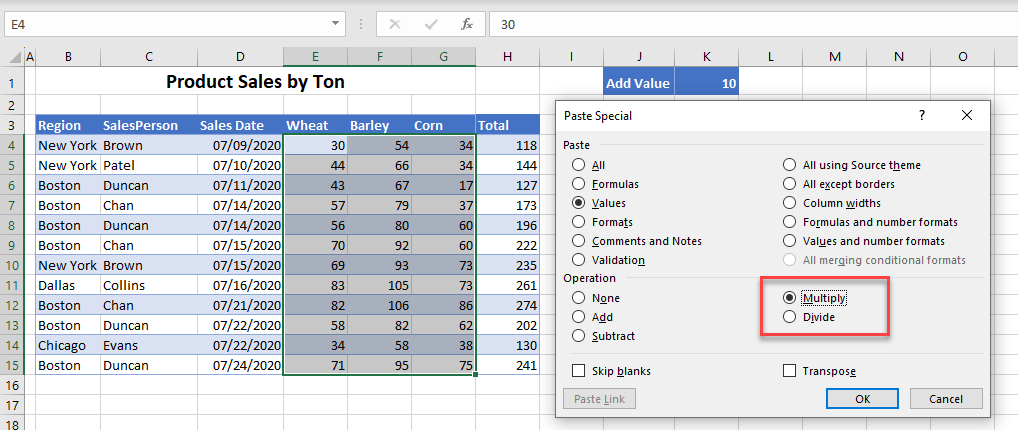
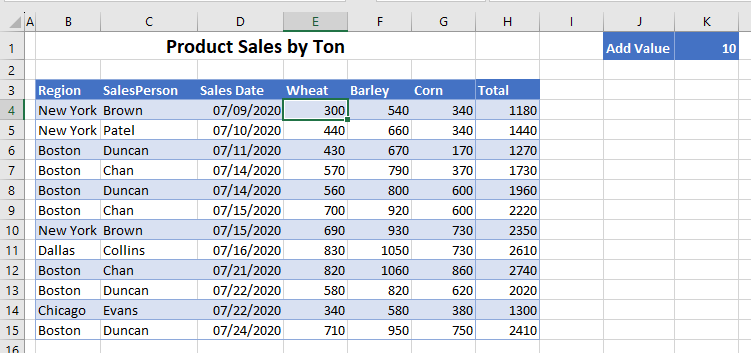
- Because this example uses Multiply, this command multiplies each value in the paste range by the number copied – in this instance, 10.
Paste Without Borders
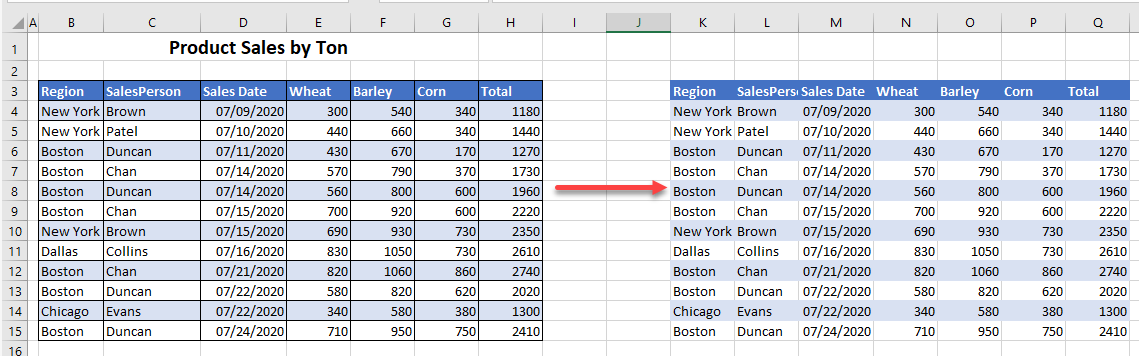
- Select the cells you wish to copy and press CTRL + C.
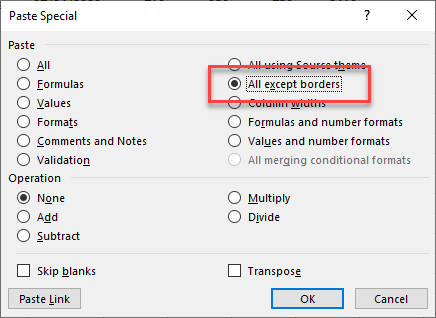
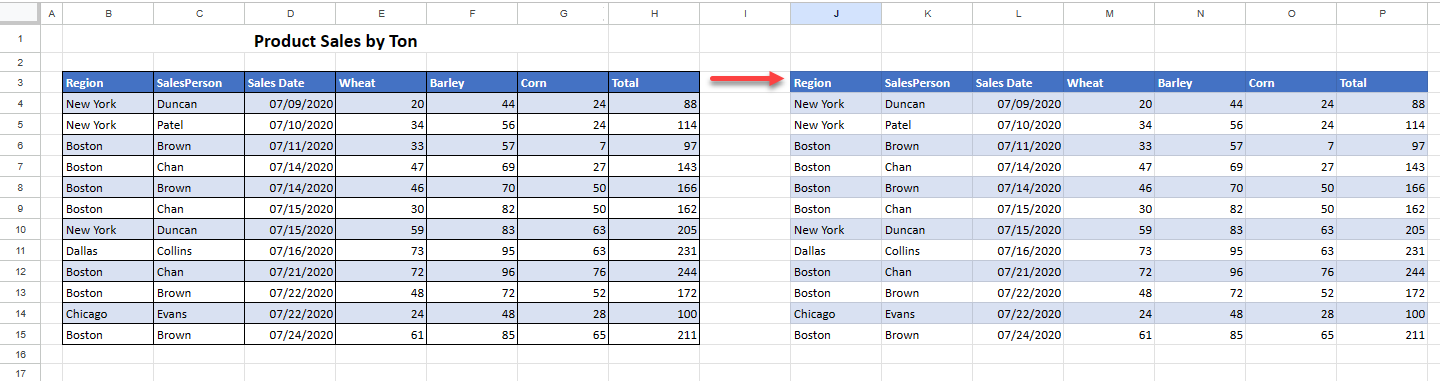
- Then, select the cell where you wish to paste the data and, in the Paste Special dialog box, choose All except borders.
The data is pasted with all values, formulas, and formatting other than borders.
Paste Column Widths
- Copy the cells in the column that has the desired width (or copy the entire column).
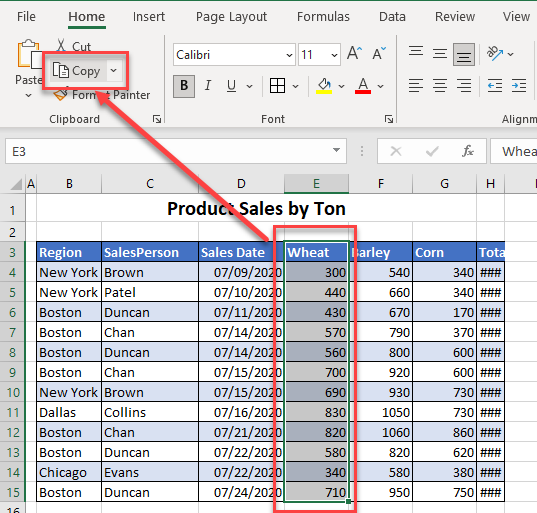
- Then, select the columns where you wish to copy the column width to, and then in the Paste Special dialog box, choose Column Width.
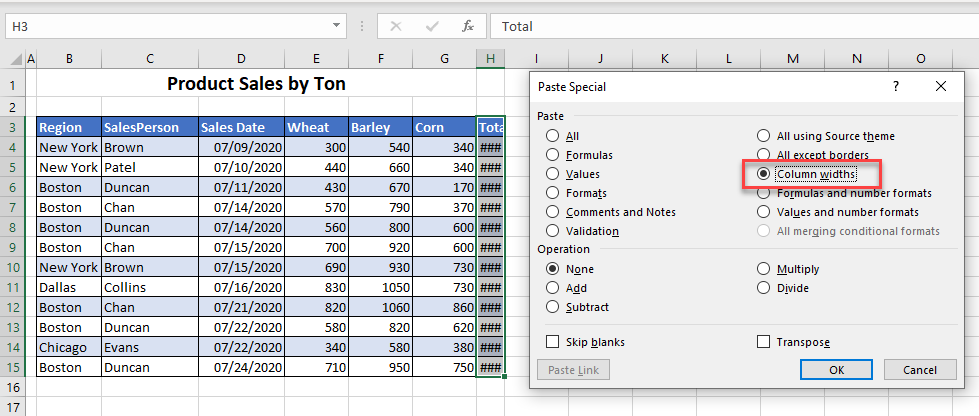
- Click OK to paste the column width.
Paste Without Blanks
If you want to replace data but don’t want to overwrite some existing data, you can paste data while skipping blanks.
Consider the following data:
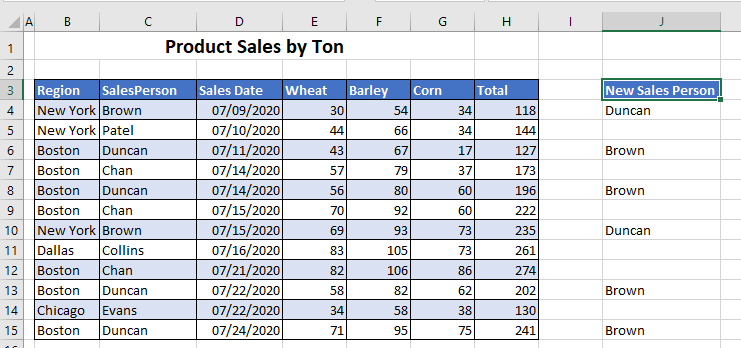
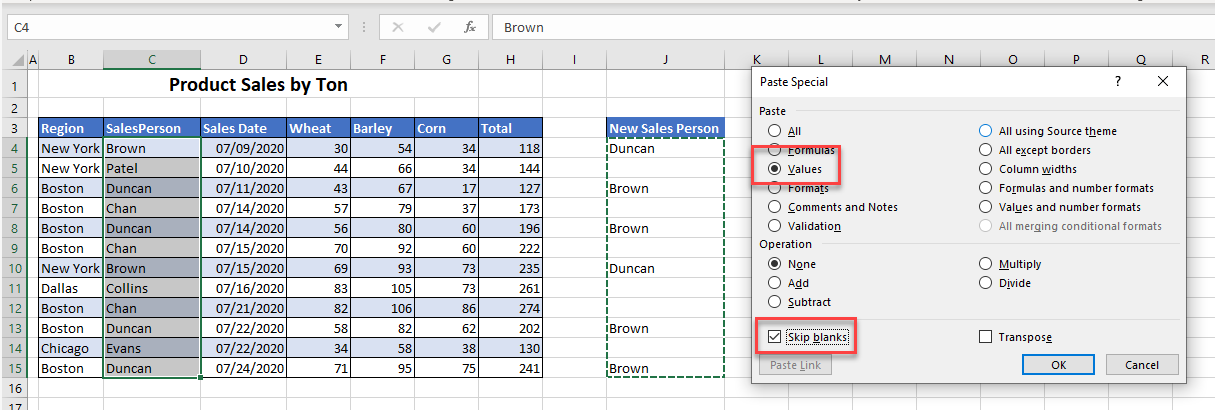
Highlight the data you wish to copy and click Copy. Then select the first destination cell, and in the Paste Special dialog box, choose Values and tick the Skip blanks checkbox.
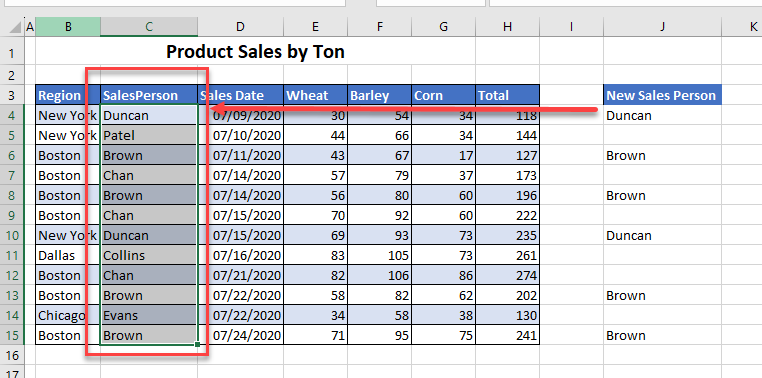
The data is pasted into the selected destination, but it doesn’t replace data that was already there. In this example, only the values in C4, C6, C8, C10, C13, and C15 are replaced.
Paste and Transpose Data
Transpose allows you to copy data from a row and paste it into a column, or vice versa.
- First, select the row or column of data you wish to copy.
- In the Ribbon, go to Home > Clipboard > Copy.
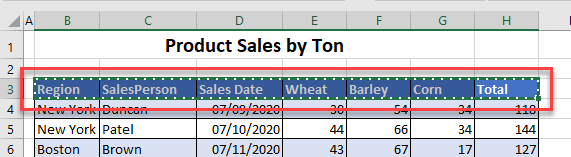
- Select the destination cell and in the Paste Special dialog box, choose Values and tick the Transpose checkbox.
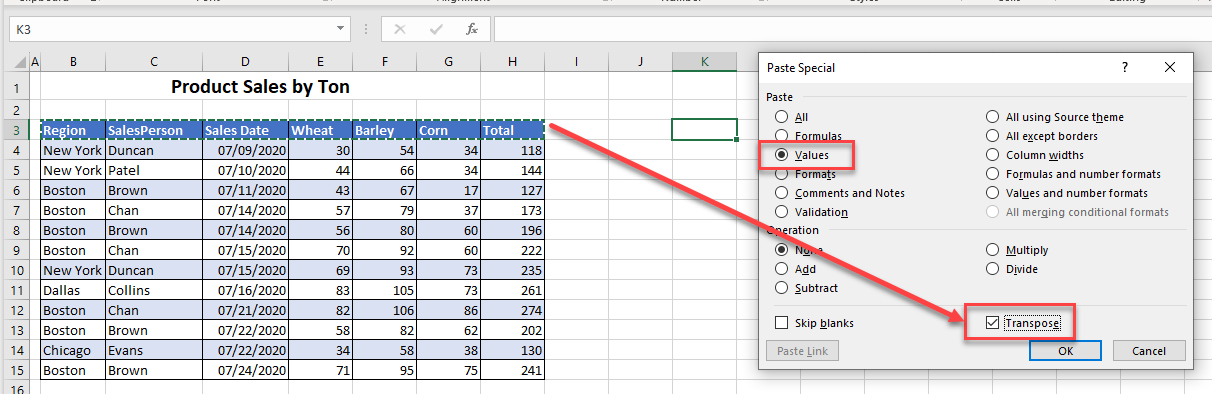
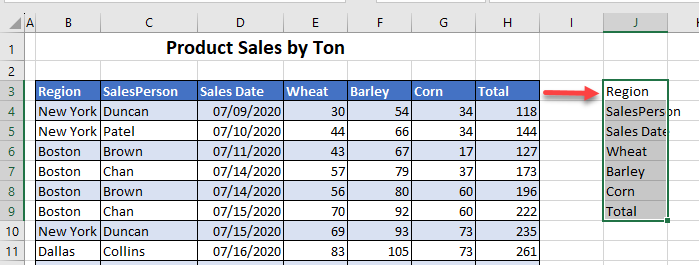
The selected cells are copied from a row into a column.
Paste Special From Other Sources
Paste Special From a Web Browser
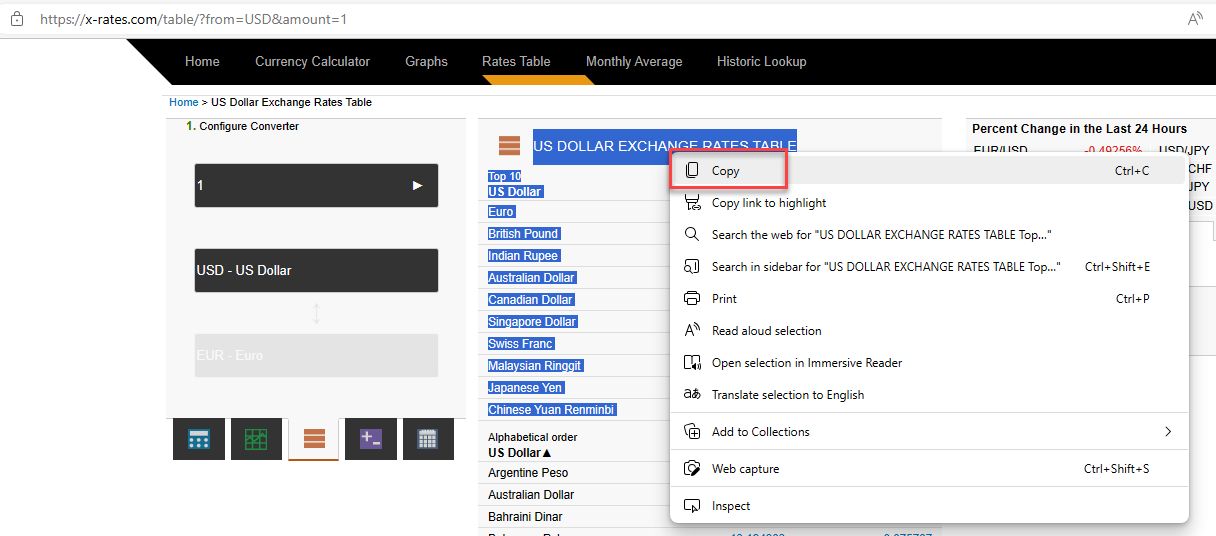
- In the web browser, highlight the text you wish to paste into Excel. Right-click and choose Copy.
- In Excel, click the first cell where you want to paste the data. In the Ribbon, go to Home > Clipboard > Paste > Paste Special.
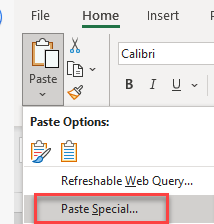
- To paste the web data as text, choose Text, and then click OK.
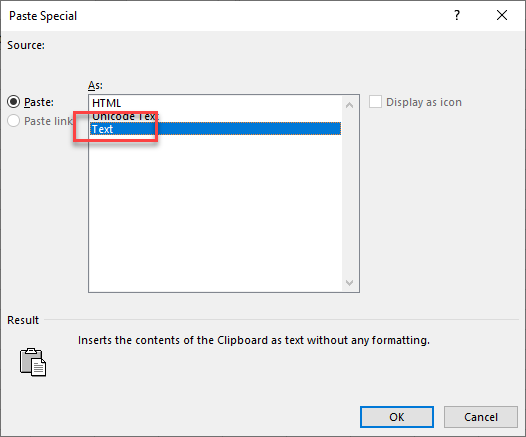
This pastes the copied content into Excel as text. If a cell contains a number value, Excel automatically recognizes it as a numerical cell.

Paste From Microsoft Word
When you paste data from Word into Excel, you have a few options in Paste Special.
- Copy the information that you need from Word to the Clipboard.
- Then in the Excel Ribbon, go to Home > Clipboard > Paste > Paste Special.
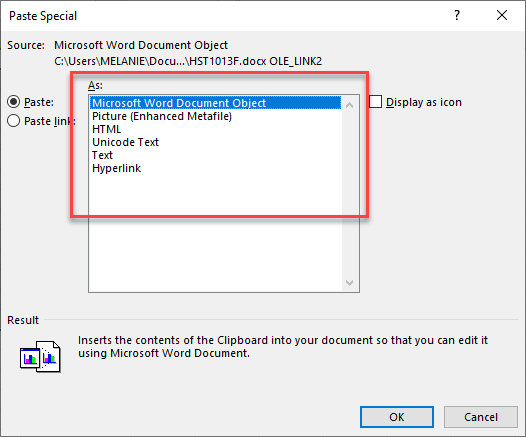
- If you paste as a Microsoft Word Document Object, you can double-click on the object to edit it within Word.
- If you paste as a Picture (Enhanced Metafile), then the data comes in as an image. If you resize the image, the text and graphics in the image are also resized.
- If you paste as HTML, Unicode Text, or Text, then the data is pasted into Excel as normal text.
- If you paste as a Hyperlink, you get a link that opens the Word file that the data was pasted from.
- If you use Paste link instead of Paste, you can’t edit the data in Excel. However, if you edit the table in Word, then the Excel sheet gets updated as well.
Paste Special in Google Sheets
Google Sheets has most of the same options as Excel.
Paste Values
Copy the range of cells, and then select the destination cell. In the Menu, go to Edit > Paste special > Values only.
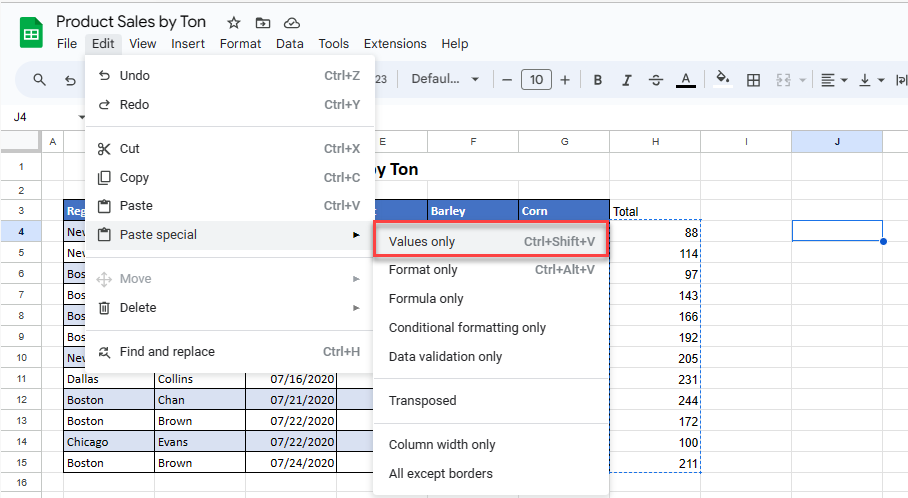
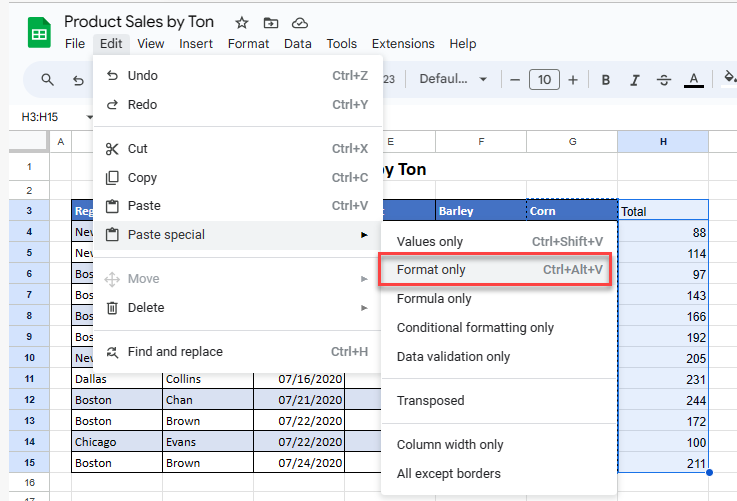
Paste Format
Copy the cells whose format you wish to obtain and then highlight the destination cells. In the Menu, go to Edit > Paste specials > Format only.
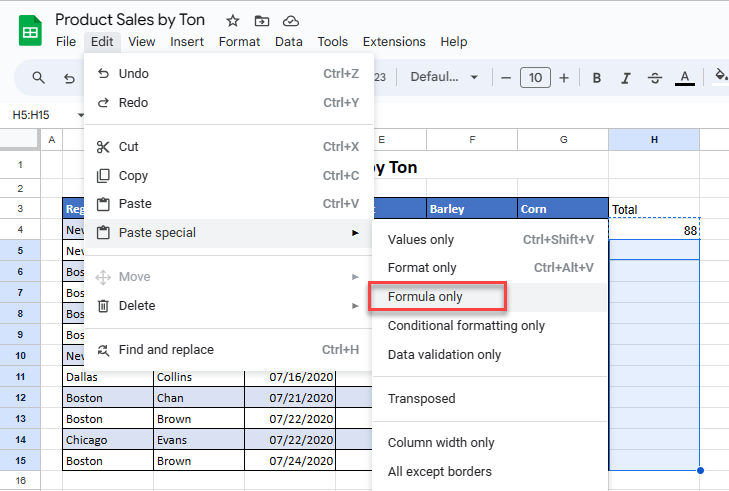
Paste Formula
Copy the cell that contains the formula you wish to paste. Select the destination cells and then, in the Menu, go to Edit > Paste special > Formula only.
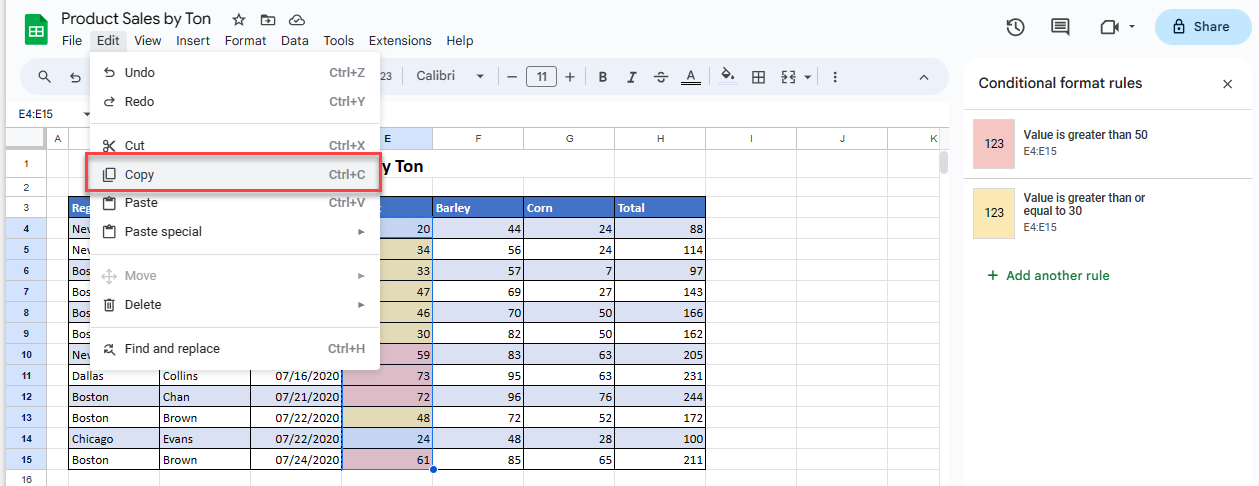
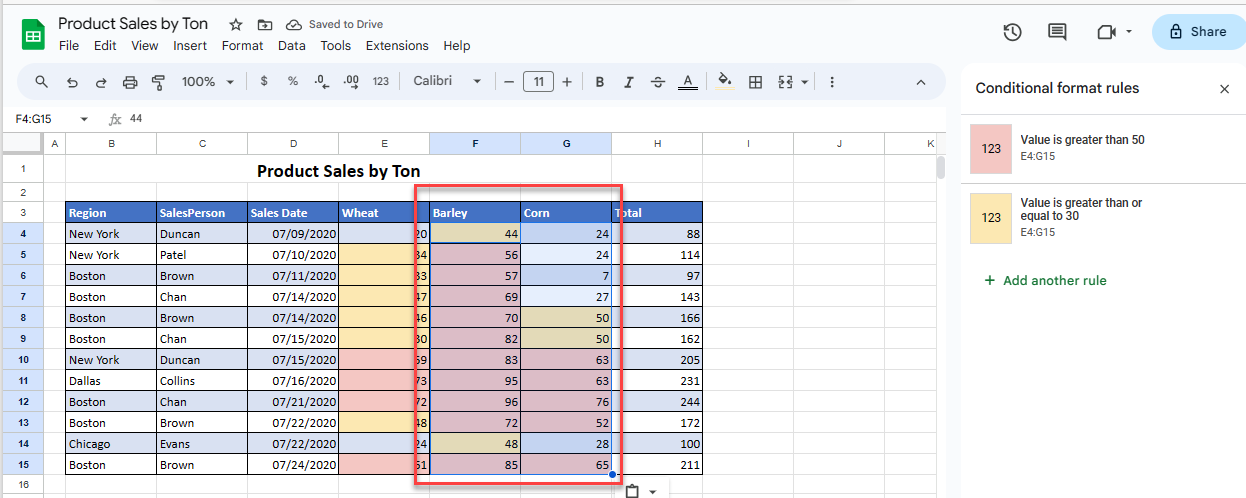
Paste Conditional Formatting
- Select the cells that contain the conditional formatting rules(s) you wish to copy, and then in the Menu, go to Edit > Copy.
- Highlight the cells where you wish the conditional formatting to be copied to, and then in the Menu, go to Edit > Paste special > Conditional formatting only.
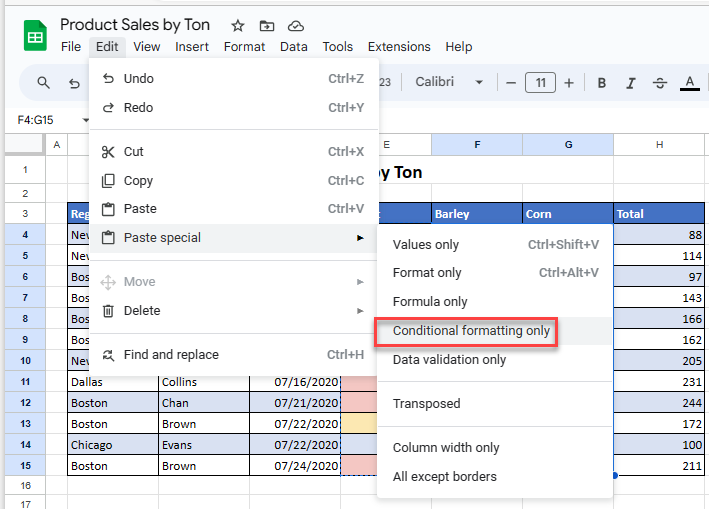
The conditional formatting rules that were applied to the copied cells are pasted to the destination cells. It changes that range’s formatting, but not its values or formulas.
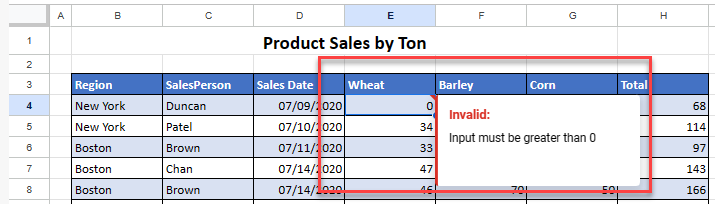
Paste Data Validation
- Select a cell that contains data validation, and then click Copy.
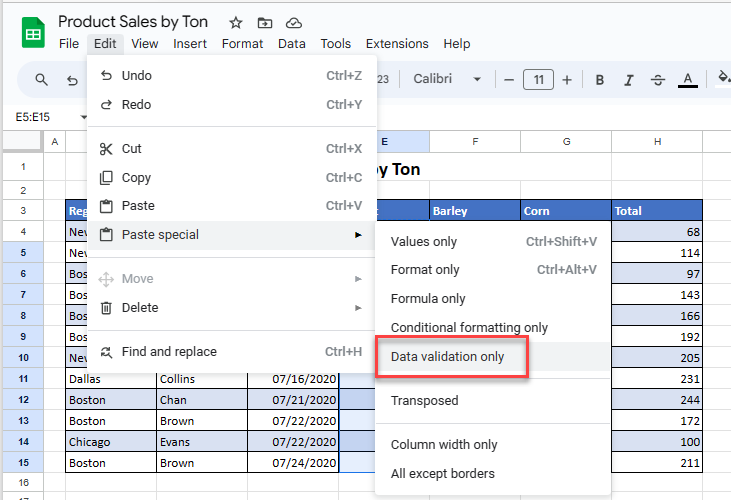
- Select the cells where you wish to paste the data validation rule(s), and then in the Menu, go to Edit > Paste Special > Data validation only.
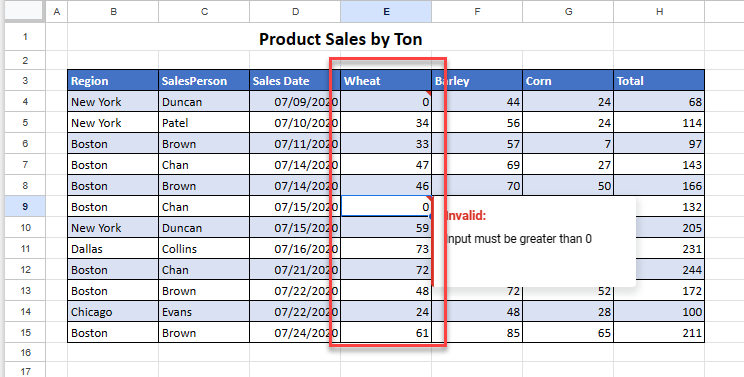
Data validation rules are copied over to the selected cells.
Paste Transposed
Once you have copied the cells that you wish to transpose, select the destination cell. In the Menu, go to Edit > Paste special > Transposed.
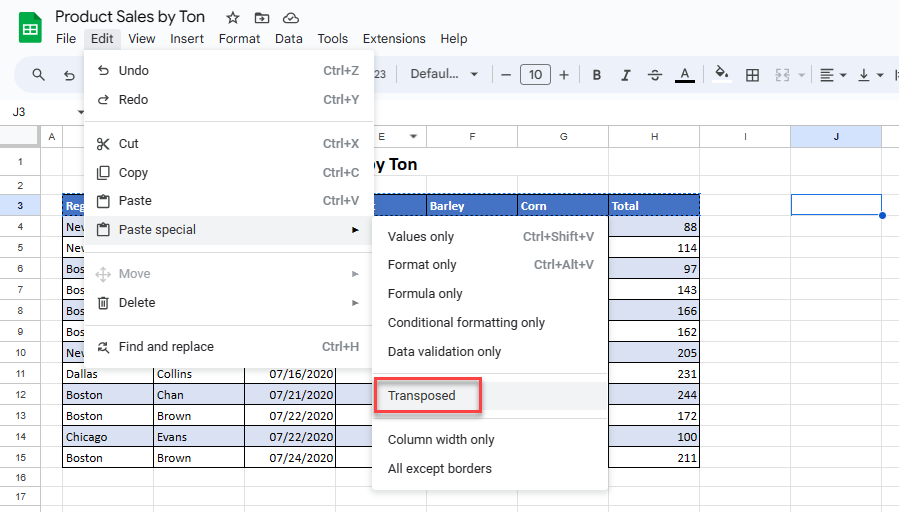
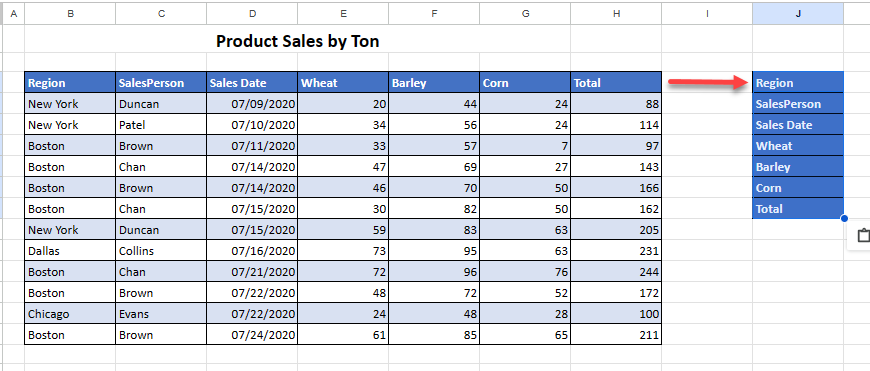
Your copied cells are transposed to the selected destination cells.
Paste Column Width
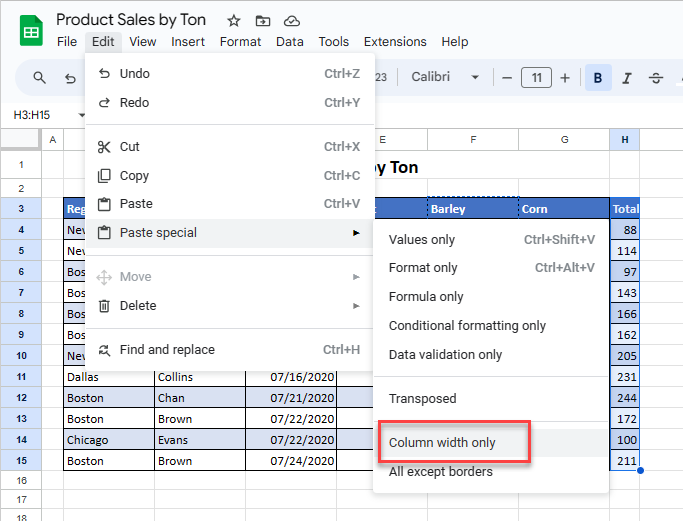
Copy the cells that contain the desired column width and then select a cell in the column that you wish to adjust.
In the Menu, go to Edit > Paste special > Column width only.
Paste All Except Borders
Copy the data you wish to paste without the column width and then select the destination cell.
In the Menu, go to Edit > Paste special > All except borders.
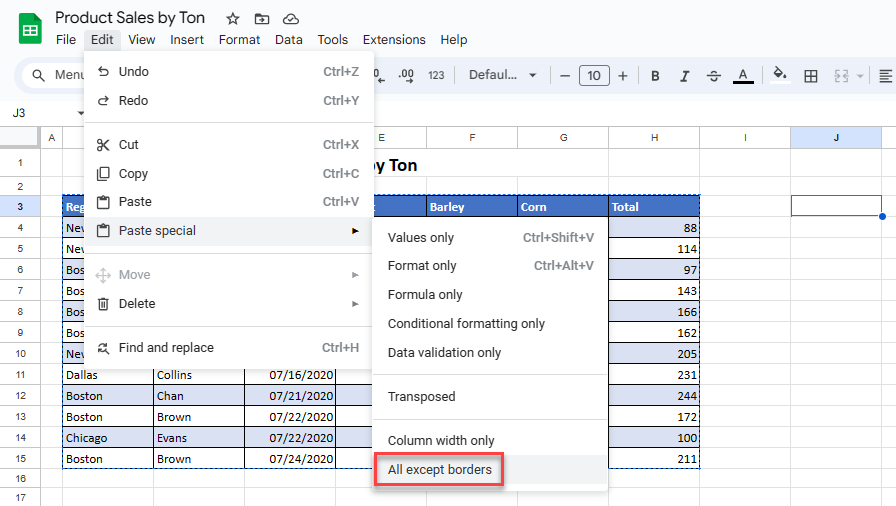
The data is pasted exactly as it is, just excluding any borders.
Read more of our tutorials on using Paste Special in Excel and Google Sheets.
